Canon announced the EOS R6 V, the top-of-the-line model in its V series and the first in the series to feature a full-frame sensor. It is scheduled for release in June 2026.
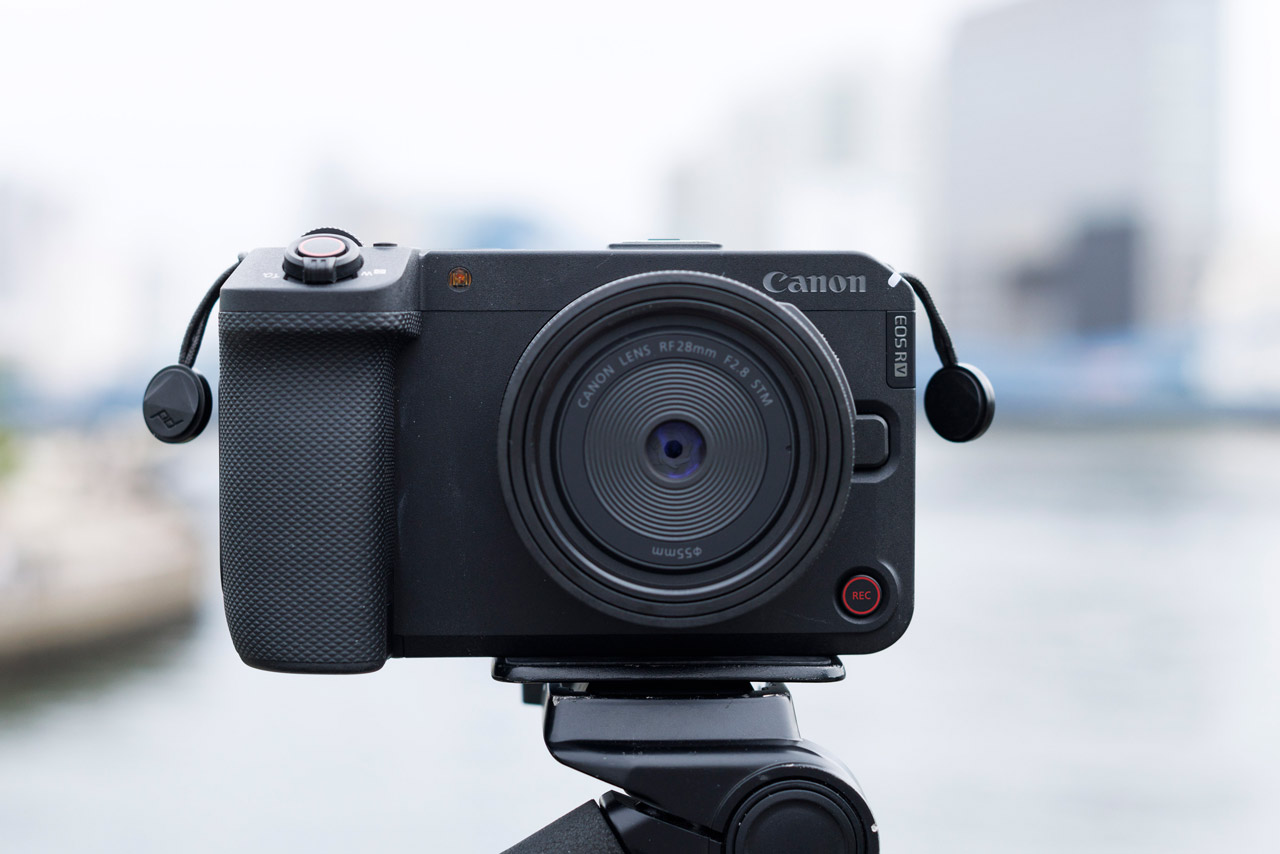
What is the Canon EOS R6 V?
The V series is a video-focused lineup centered around three models: the PowerShot V10, PowerShot V1, and EOS R50 V. The PowerShot V10 is a model designed for capturing activities and everyday experiences while enjoying the moment. The PowerShot V1 is a model that meets the need for a compact, portable camera while prioritizing image quality. The EOS R50 V adds the expandability of interchangeable lenses to these three models.

The newly released Canon EOS R6 V is positioned at the top of the V series. Video production is no longer the domain of a select few professionals. With the expansion of social media content, the number of people who create, share, and make a living from videos has increased dramatically. As a result, the needs for video production have become greatly more diverse. In response to this trend, Canon launched the EOS/PowerShot V series, a lineup of cameras specifically for video, and with the EOS R6 V, they have now ventured into the full-frame realm.

The EOS R6 V doesn’t give the impression of being “a still camera with added video capabilities.” It’s a camera designed from the ground up with the movements of videographers, equipment setup, the choice between vertical and horizontal video, and the entire editing process in mind. It’s a model that directly targets both professional videographers and social media creators.
Main specifications of the Canon EOS R6 V
The Canon EOS R6 Vhas specifications similar to the EOS R6 Mark III and C50, and supports 7K 3:2 open gate recording. It supports up to 7K60P RAW recording and high frame rate shooting at 4K120P and 2K180P, enabling a wide range of video expression. Many of the basic performance features, such as open gate recording, up to 7K60P, and 4K120P/2K180P, are common to the three models: C50, EOS R6 V, and EOS R6 Mark III.
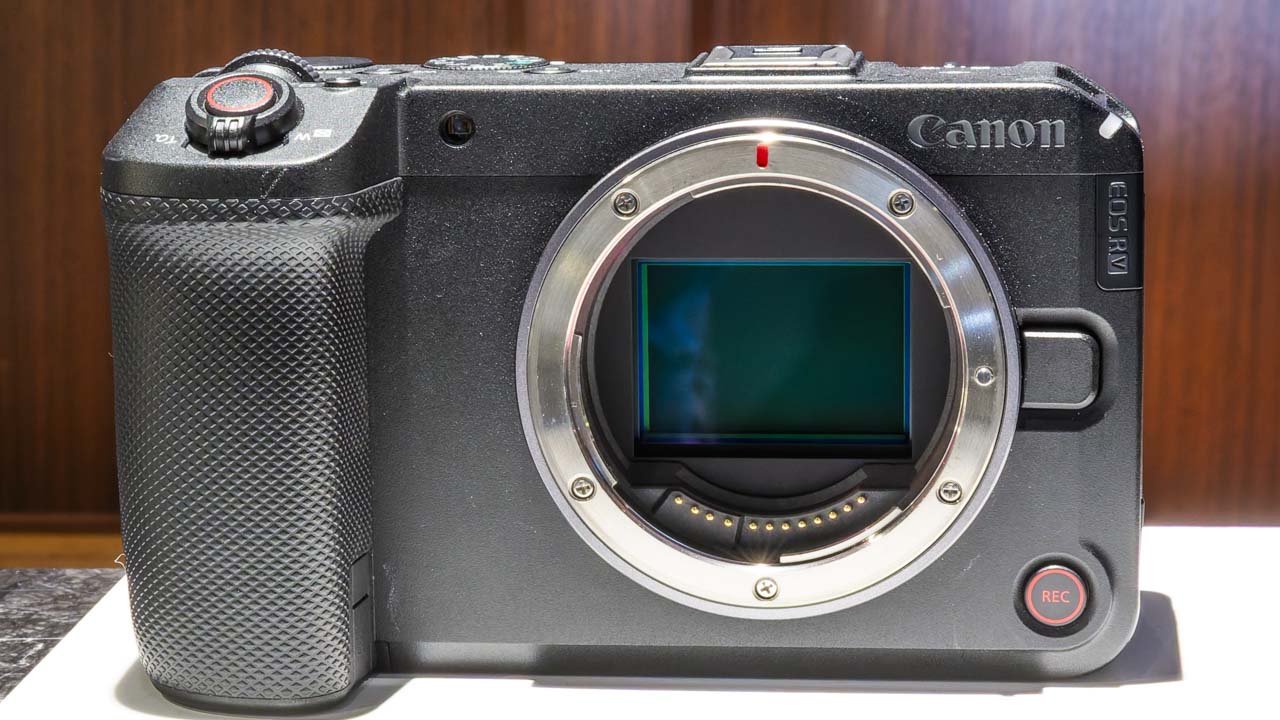
On the other hand, the EOS R6 V lacks a mechanical shutter and relies solely on an electronic shutter. Its IBIS system provides 7.5 stops of focus according to CIPA standards and supports registered person-priority autofocus. It features a zoom lever and a front-facing REC button, and also includes a small cooling fan. While its specifications are designed to allow for long 4K60P recordings in normal temperature environments, and it’s not as heavily geared towards professional use as the C50, it’s clearly positioned more towards video than the R6 Mark III.
Detailed Specifications:
- 7K 3:2 Open Gate compatible: 7K 3:2 RAW/MP4 30P, 7K DCI RAW 60P
- High frame rate support: 4K60P (FIT), 120P (FIT) / 2K180P (FIT)
- Custom picture support (color filters, picture styles supported): Canon Log 3, Canon Log 2, HLG, PQ, Look file function
- AF integrated with the CINEMA EOS SYSTEM: AF speed range and acceleration settings are unified with the CINEMA EOS SYSTEM, and features AF tracking, focus guide, and registered person priority are included.
- In-body image stabilization: Up to approximately 7.5 stops of IBIS image stabilization (IBIS/OIS) for still images.
- Equipped with a small cooling fan: Unlimited 4K60P (cold start at room temperature)
- Designed with video recording in mind: Vertical tripod mount, vertical UI support, front REC button, zoom lever, 12 assignable buttons.
- Still image performance: Approximately 32.5 million pixels, electronic shutter 40 frames/second, pre-shooting
7K full-frame, open gate compatible
The appeal of 7K open gate isn’t just in the spec sheet numbers. Because it allows for a wider 3:2 sensor area, it’s easier to utilize the lens’s image circle even at the edges. With a standard full-frame 17:9/16:9, it supports 7K60P RAW, oversampling 4K60P, 4K120P, and 2K180P crop, while 3:2 open gate allows for 7K30P RAW/MP4 recording.

● Purple indicates open gate (3:2), 7K30P (RAW, MP4).
This 3:2 open gate is quite effective in today’s social media age. Previously, cropping vertical footage from horizontal footage often resulted in a narrower field of view and a decrease in resolution. However, with the EOS R6 V, the original footage has ample headroom, making it easy to create both horizontal and vertical videos from the same source. Being able to export vertical video while maintaining 4K DCI or UHD quality is quite practical.
Excellent basic video performance
The video capabilities are also impressive. The EOS R6 V supports Canon Log 2 and Cinema Gamut, achieving a dynamic range of up to 15+ stops when shooting in Canon Log 2. Compared to Canon Log 3, Canon Log 2 preserves tonal gradations in dark areas better, making it suitable for those who want to refine their images in post-production. It’s ideal for those who intend to finish their footage in editing rather than just shooting and being done with it.
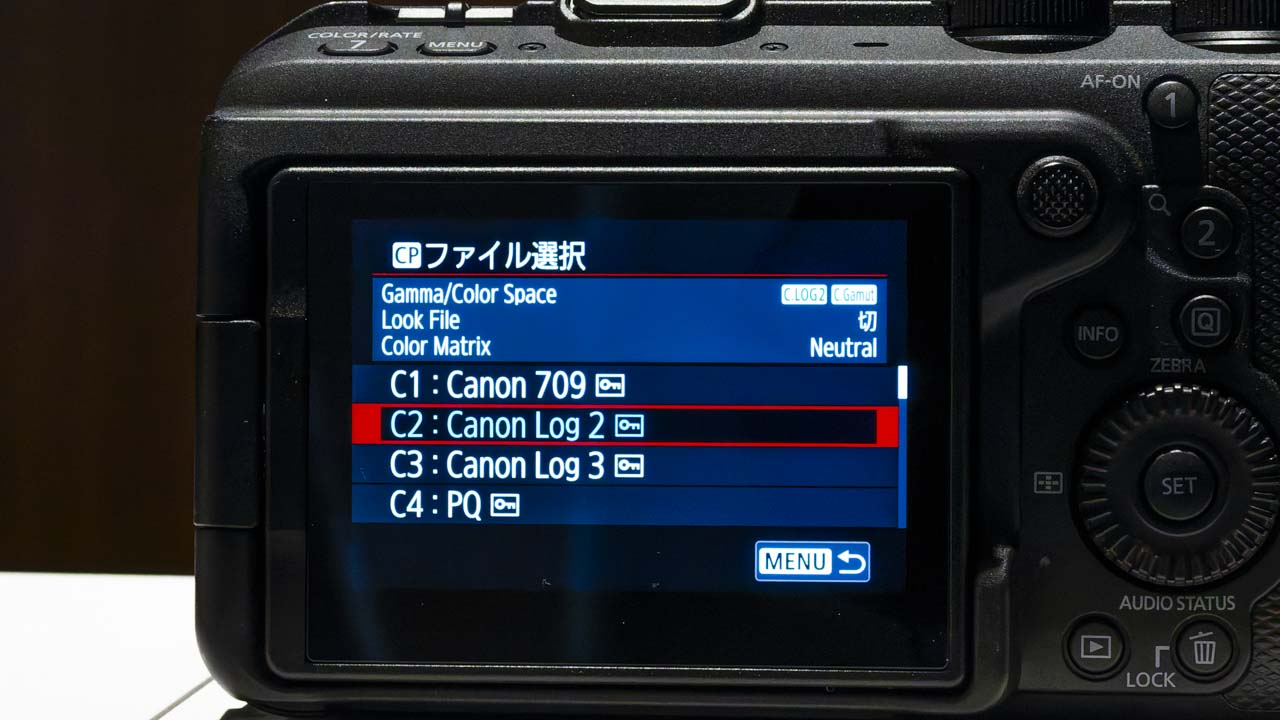
Shooting Specifics
- OpenGate 7K30P 12-bit RAW/10-bit MP4
- 7K60P 12bit RAW/10bit MP4(fit)
- 4K120P (fit) / 2K180P (crop) 10bit MP4
- Oversampling 4K 60P 10bit MP4 (fit)
- Canon Log 2/Cinema Gamut compatible (maximum dynamic range of 15+ stops)
- The camera automatically switches between two base sensitivities internally depending on the ISO setting (ISO 800/6400).
The base ISO is automatically switched internally according to the gamma setting. For Canon Log 2/Canon Log 3, the base ISO is 800 and 6400; for Canon 709, BT.709, PQ, HLG, Picture Style, and Color Filters, the base ISO is 400 and 3200; and for BT.709 Standard, the base ISO is 160 and 1250. The user does not manually switch the base ISO; it is automatically switched internally according to the set ISO value.
For example, when shooting in Canon Log, if you increase the ISO from 800 to 1600, then to 3200, and finally select ISO 6400, the internal base sensitivity will also switch to 6400. If you return to a value lower than ISO 6400, the base sensitivity will also return to 800. While there is no way to directly check which base ISO is being used on the UI, understanding this automatic switching characteristic will make it easier to use in low light conditions.
| Gamma setting | Base ISO |
|---|---|
| Canon Log 2, Canon Log 3 | Base ISO 800 Base ISO 6400 |
| Canon 709, BT.709 PQ, HLG Picture Style Color Filter |
Base ISO 400 Base ISO 3200 |
| BT.709 Standard | Base ISO 160 Base ISO 1250 |
Two high-frame-rate shooting methods
There are two methods for high-frame-rate shooting. One is Slow & Fast mode. You can set the shooting frame rate and the recording frame rate separately, and you can check the slow motion or fast motion effect on the camera’s LCD screen immediately after shooting. However, Slow & Fast Motion video mode cannot be used in conjunction with RAW video recording or open gate recording.
Another feature is 4K120P shooting with sound. When shooting in 4K, you can select 120P, and the recorded data remains at 120P while also recording the audio in the same file. During playback, you can check it at normal speed, making it suitable for shooting where you want to preserve ambient sounds. During editing, you can use that 120P data to create smooth slow motion. The choice is between using regular 4K120P if you need sound, or using Slow & Fast mode if you want to check the slow-motion effect on location.
Slow & Fast mode
By setting the shooting frame rate and recording frame rate separately, it is possible to record video with slow motion or fast motion effects. Slow motion and fast motion effects can be played back and checked immediately after shooting.
*Slow & Fast Motion video mode cannot be used in conjunction with RAW video recording or video recording with open gates.
4K120P recording with sound
When shooting in 4K, the max selectable frame rate is a frame rate of 120P. In this case, the recorded data will be 120P, and the audio can also be recorded in the same file. During playback, it can be viewed at normal speed, and during editing, it can be treated as 120P material, enabling smooth slow-motion effects.
Strong support for solo operation
The camera also boasts a wealth of features to support solo shooting. It features 7.5 stops of in-body image stabilization for still images and achieves the same level of image stabilization as the EOS R6 Mark III for video recording. It also supports electronic IS for video and subject tracking IS, making it easier to capture stable shots even when shooting handheld without a gimbal.
Autofocus performance is on par with the EOS R6 Mark III. The AF detects people by eyes, face, head, and torso, and animals such as dogs, cats, birds, and horses. It can also detect vehicles such as cars, motorcycles, trains, and airplanes, and can track the entire vehicle or a specific spot. Additionally, the AF itself supports registered person priority AF. This makes it easy to track the intended person even in scenes with multiple people.
The AF control during video recording employs a tuning similar to the CINEMA EOS SYSTEM. It starts with a firm initial movement and smoothly decelerates as it approaches focus. Rather than a mechanically controlled focus, it closely resembles the natural movement of a human focusing wheel. This is a crucial point in video recording.
| subject | person | animals first | Vehicles have priority. | ||||||||
|---|---|---|---|---|---|---|---|---|---|---|---|
| dog | cat | bird | horse | Motorsports (Cars, motorcycles) |
Railway | plane (Jet planes, helicopters) |
|||||
| subject | Eyes / Face / Head / Torso | Eyes / Face / Whole body | Overall / Spot | ||||||||
Shooting support function
The shooting support functions are also geared towards practical use. It features a waveform monitor, zebra stripe display, and false color, with the false color function being switchable on/off with a button. Pre-recording supports recording from 5 seconds or 3 seconds prior. Furthermore, in response to user requests, it’s now possible to shoot video while the image is magnified.
It also supports displaying a level indicator during video recording, and a firmware update is planned to add support for grid display. The ability to display two types of aspect markers simultaneously is also a welcome feature for those who create both portrait and landscape orientations, especially when shooting open gates.
Detailed settings
Mechanical parts
The body is designed with dust and water resistance in mind. Sealing materials are incorporated into the openings of the battery compartment and card slot cover to prevent the intrusion of sand, dust, and water droplets. Even areas that are difficult to seal, such as the dial rotation axis, are handled with high-precision design that minimizes gaps between parts. The body is made of magnesium alloy, giving it a solid, tool-like feel when held.
It’s also interesting that even the cooling fan has a dustproof and splashproof design. Cooling is quite important when considering long video shoots. Designed with outdoor shooting in mind, it’s easy to use even in environments where unexpected light rain or dust is a concern.
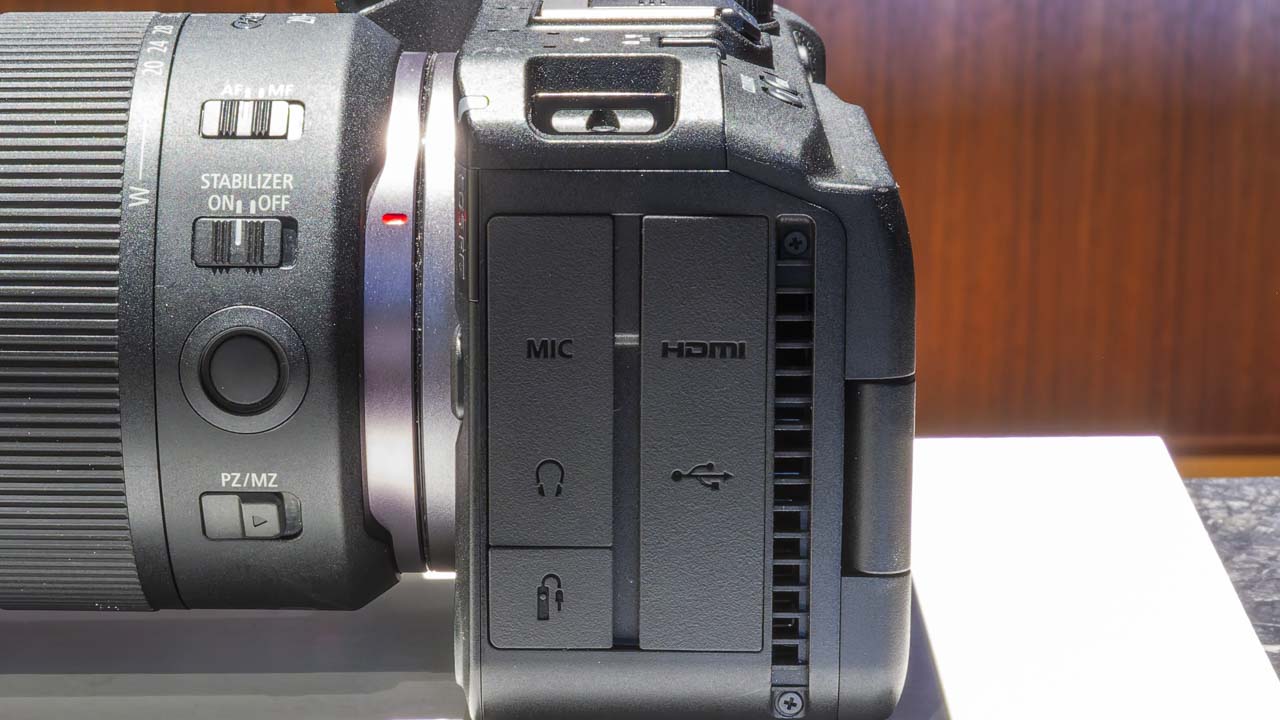
The cooling fan can be configured from the menu screen. In addition to [Fan: Off/On/Auto], the rotation speed can also be selected from [High/Medium/Low/Stop]. Fan noise may be recorded in the video, so it is recommended to test it before actual use. If the noise is a concern, you can lower the rotation speed, stop the fan, or record the audio separately using an external recorder. However, reducing the fan speed may shorten the continuous shooting time depending on the shooting conditions. The test results regarding the fan stopping due to overheating will be published on the company’s website.
Design
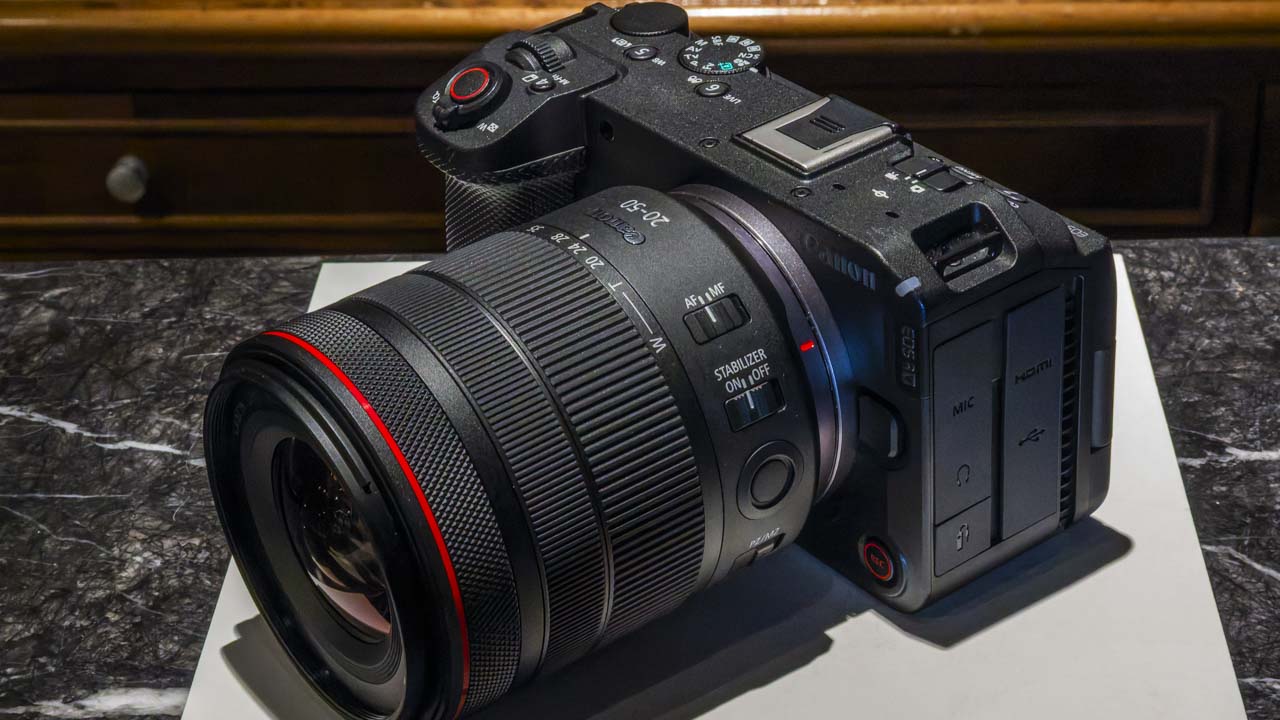
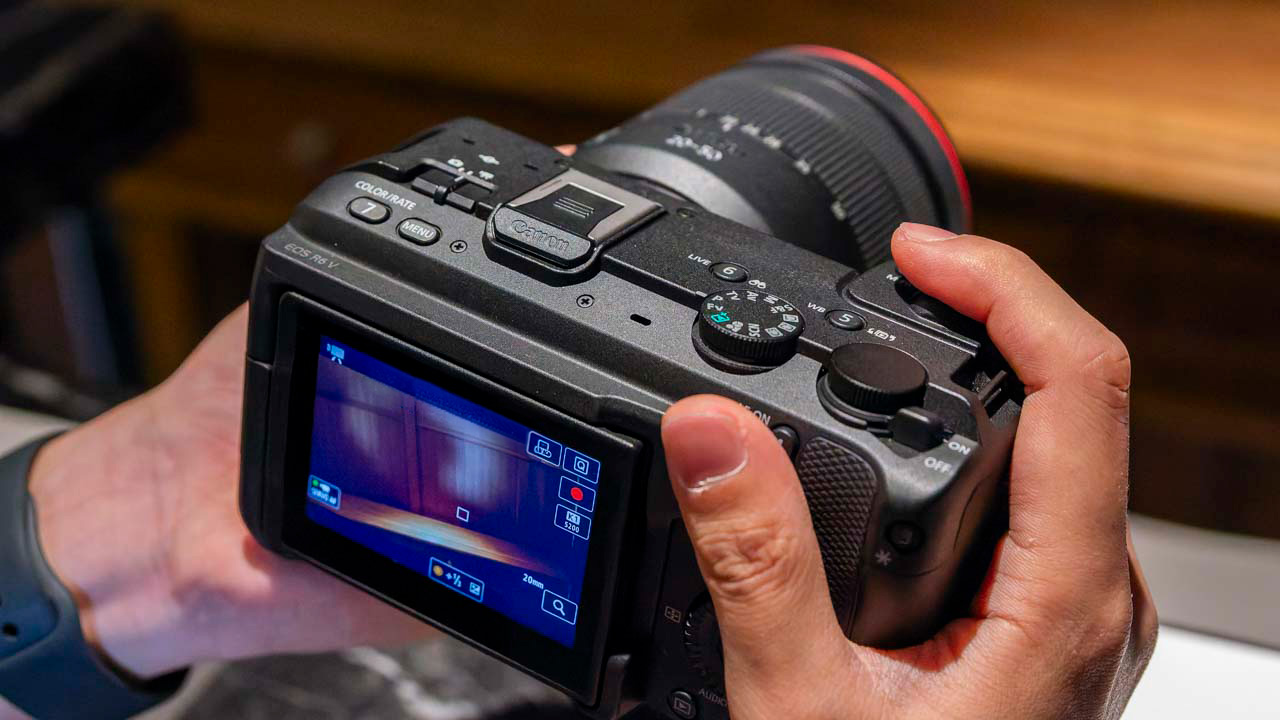
In terms of design, like the EOS R50 V, it’s a design that rethinks the video shooting experience from the ground up. The flat, linear body design is clearly made with compatibility with rigs and peripheral equipment in mind. When you actually use it, you can feel the ease of use, which is designed with cage attachment and additional accessories in mind.
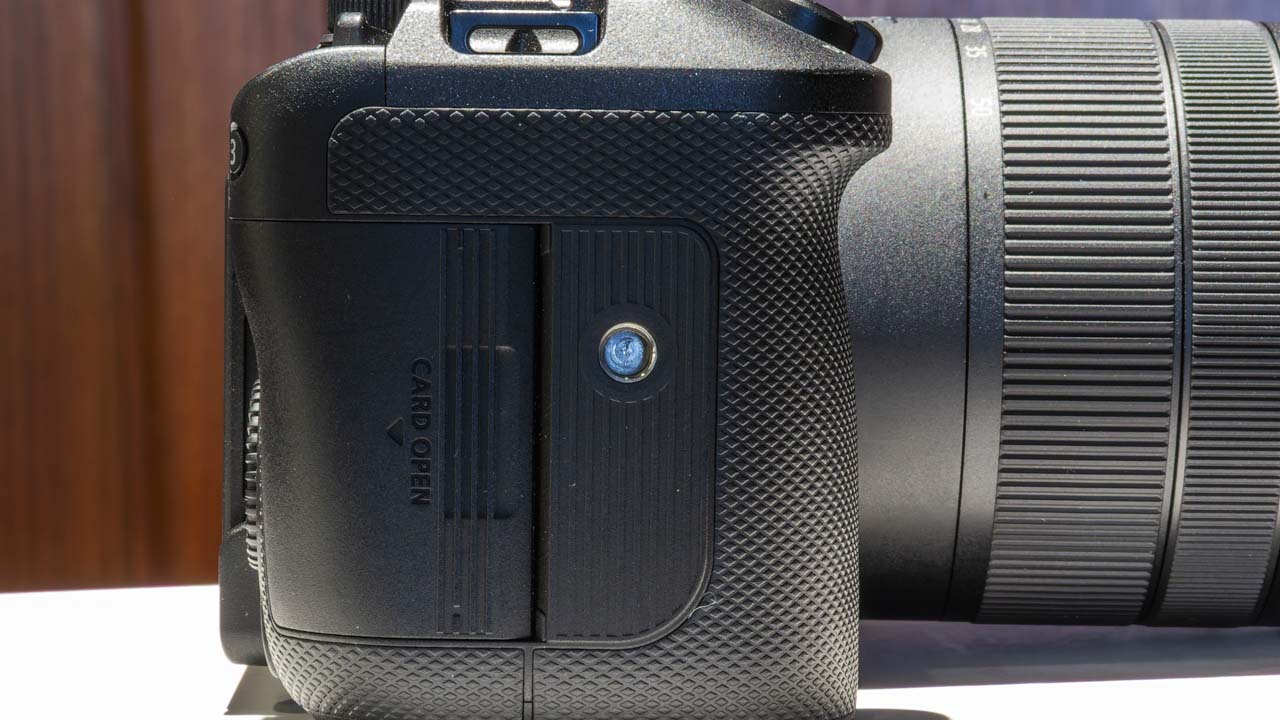
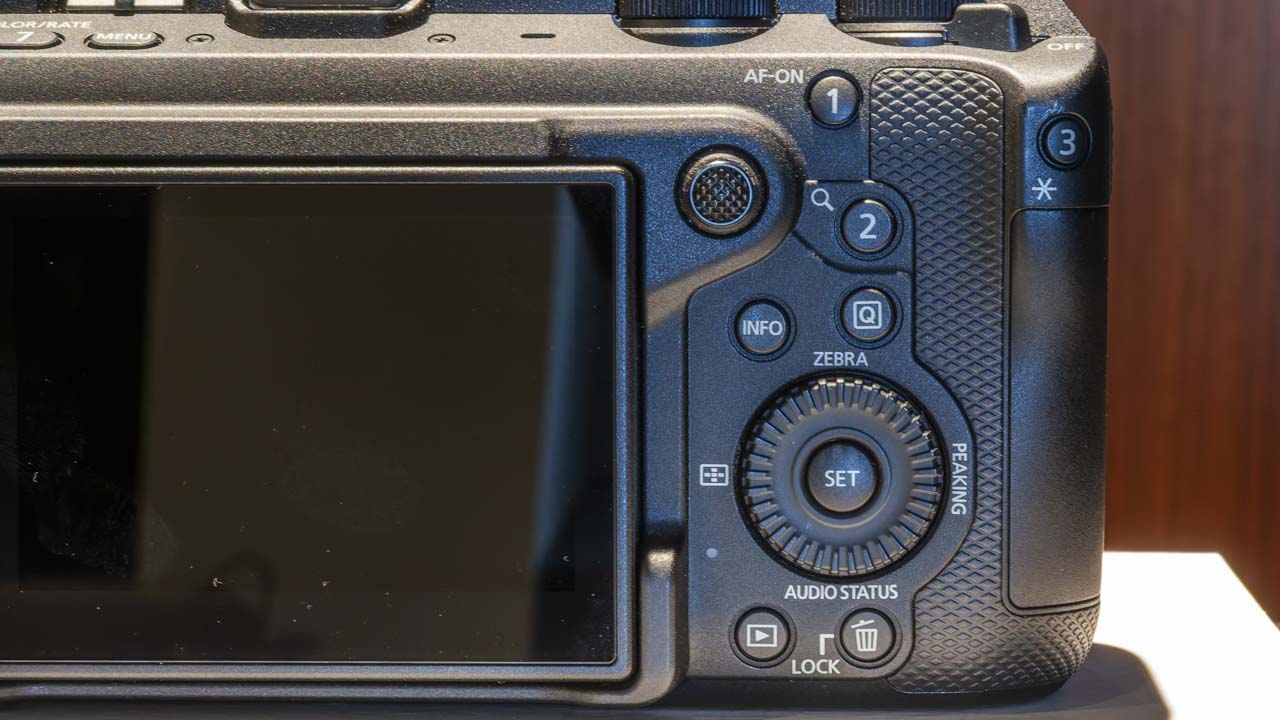
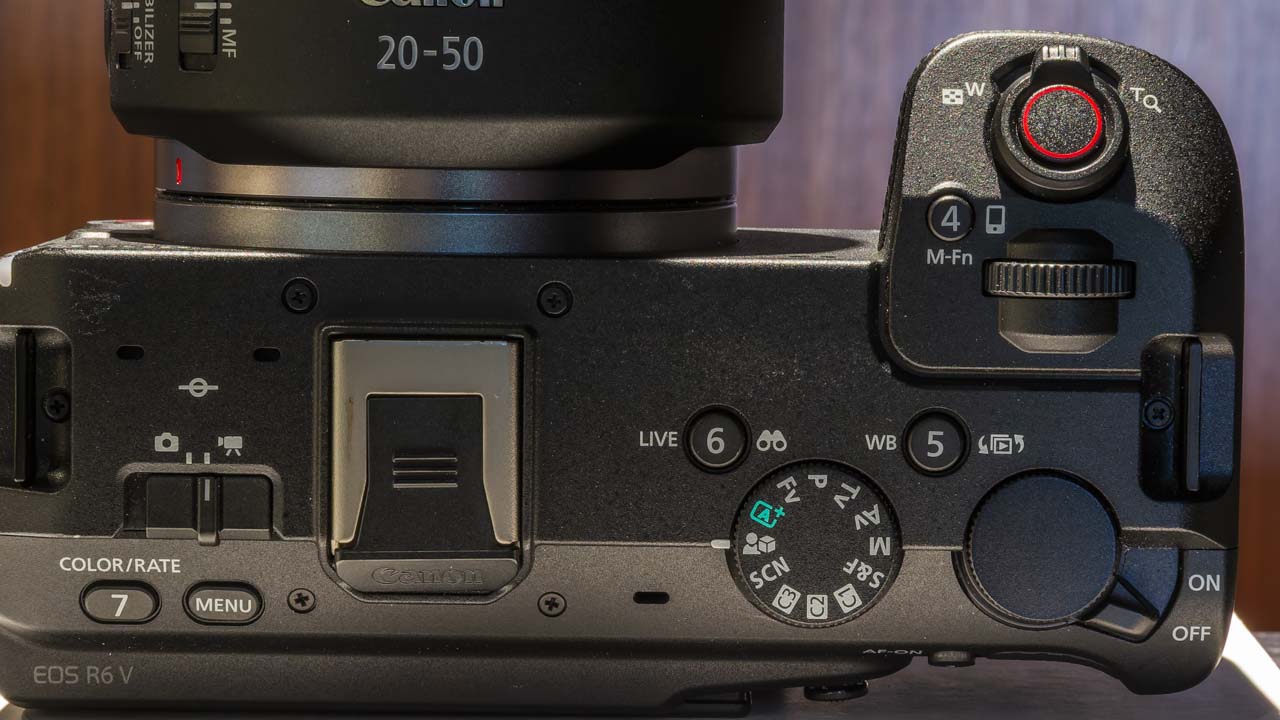
Customizable buttons
The Canon EOS R6 V has plenty of assignable buttons, allowing quick access to frequently used functions during shooting. A REC button is located on the front, making it practical for selfies and solo shooting. Furthermore, a screw hole for vertical shooting is provided. In today’s world where short videos and social media content creation are commonplace, this feature is very practical for real-world use.

The recording media consists of a dual slot configuration for CFexpress and SD cards. It supports main video and proxy recording, main/sub recording, relay recording, and simultaneous writing, allowing for versatile use depending on the application. In main/sub recording mode, you can record RAW video to card 1 while recording 4K DCI Fine fixed MP4 video to card 2. Considering the editing workflow, this configuration is quite easy to use.
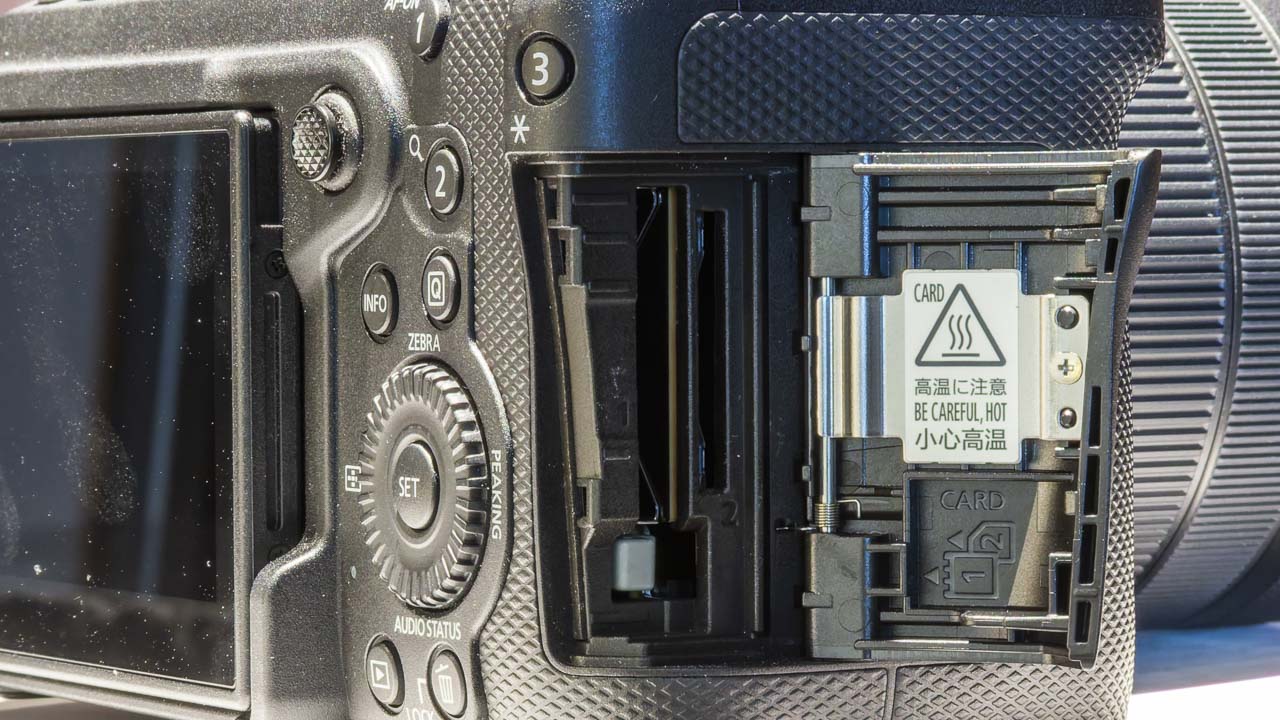
In relay recording mode, if the card capacity becomes full during video recording, it automatically switches the recording destination to the other card. This reduces the stress of constantly worrying about remaining capacity during long takes. The built-in tally lamp is also a nice feature, allowing you to check the recording status at a glance.
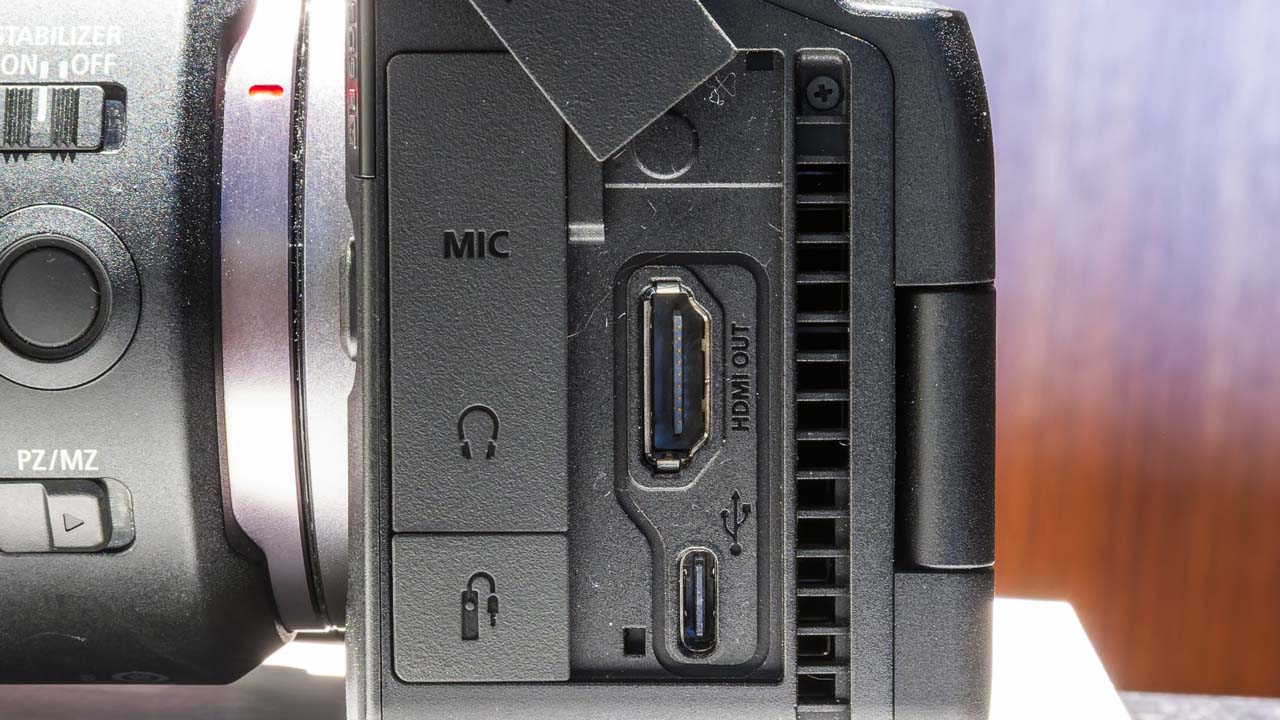
The HDMI port uses a Type-A connector. It’s a full-size connector, not micro HDMI, providing peace of mind when connecting an external monitor. The connector is positioned near the center of the monitor’s rotation axis, making it easy to adjust the screen angle even when cables are connected. The microphone, headphone, and remote control jacks are also positioned to avoid interference with the vari-angle monitor. Even with accessories attached, it’s easy to handle, giving the impression that they’ve paid meticulous attention to details that often cause problems in the field.
Diverse Visual Expressions
The camera offers a wide range of video expression features. It includes three color modes—color filters, picture styles, and custom pictures derived from the CINEMA EOS SYSTEM—allowing for diverse looks from the moment of shooting. With 14 color filters, it not only changes the color tone but also easily creates the desired atmosphere in your footage.
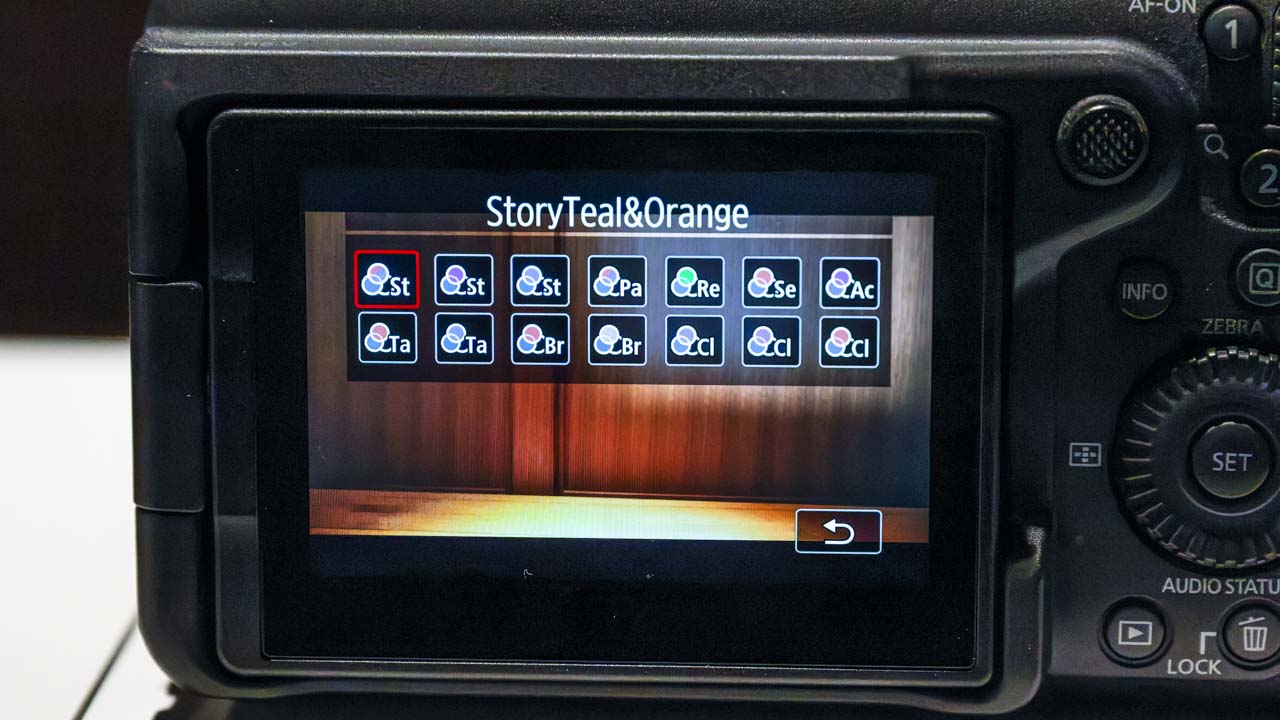
This color filter can be downloaded as a LUT from the Canon LUT Library. It can be used not only in-camera during shooting, but also applied to Log footage during post-production. This supports the workflow of shooting flat on set and then carefully shaping the image during editing. These days, it’s commonplace to finish a video with editing, rather than just shooting and being done with it. This specification is clearly designed with that trend in mind.
It also offers features tailored to specific purposes, such as skin-beautifying video, review-specific autofocus, and subject-tracking image stabilization. Review-specific autofocus is a user-friendly feature for product introductions and streaming content, and is well-suited for one-person shooting. Furthermore, it supports VR shooting, allowing for a wider range of visual expression beyond just vlogs.
Additionally, this camera also supportsVR shooting.
Despite being a video camera, it boasts high still image performance.
While the EOS R6 V is primarily known as a video camera, its still image performance shouldn’t be overlooked. Equipped with a sensor in the approximately 32.5-megapixel class, it achieves a balance between high resolution and high sensitivity. When viewing actual footage, the detail rendering is remarkably precise, and you can feel the abundance of information in both video and still images. The image processing aims to naturally render the texture of hair and fabric, as well as the fine details of the background.
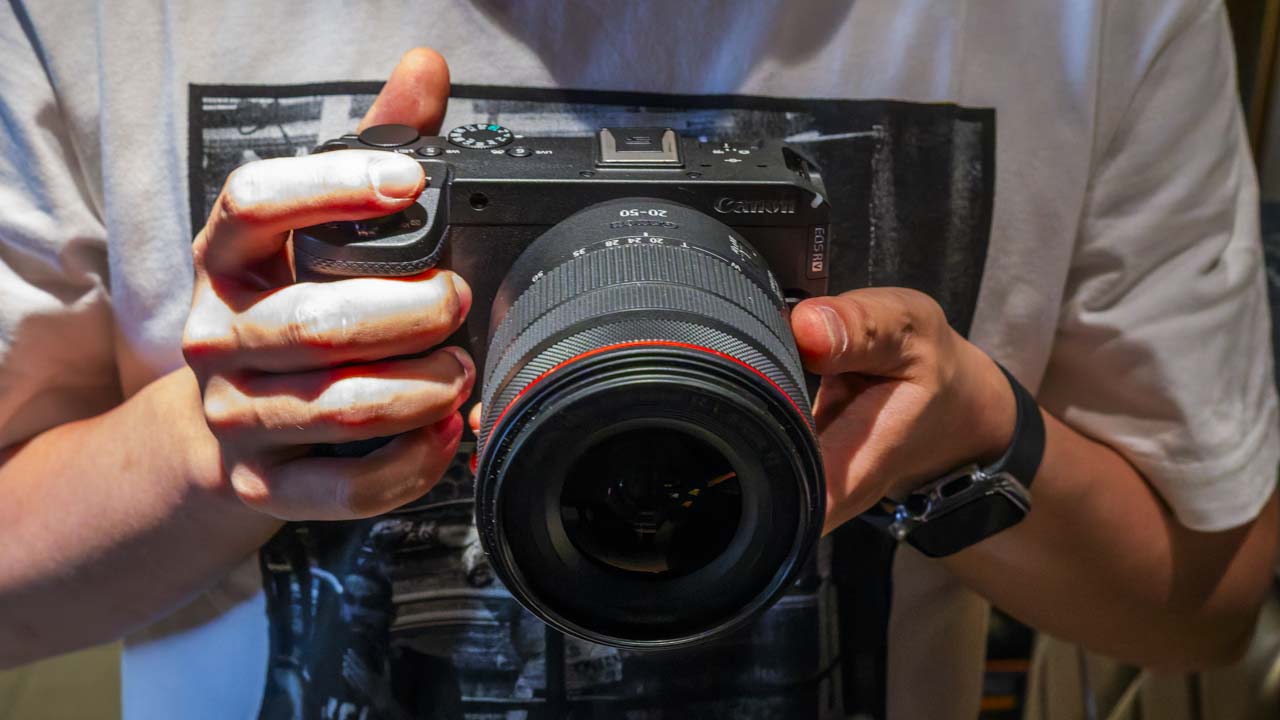
However, it lacks a mechanical shutter mechanism, relying solely on an electronic shutter. This electronic shutter allows for continuous shooting at up to 40 frames per second. Furthermore, it supports pre-continuous shooting even in still image mode, recording up to 20 images before the shutter is pressed. This is quite reassuring when photographing moving subjects.
It will also support still image strobe photography. This feature will be added in a firmware update scheduled for July 2026. While primarily a video camera, it will also meet the needs of streaming creators for thumbnail photography and for both video and still image shooting at weddings and events. Rather than separating video and still image specialists, it is clearly designed with the modern production style of one person handling both in mind.
The RF20-50mm F4 L, also scheduled for release around the same time, is a lens designed with the EOS R6 V in mind. It covers a wide-angle to standard range from 20mm to 50mm, and is a zoom lens with a fixed front element, so the overall length does not change. It weighs approximately 420g, making it easy to carry around for a full-frame zoom lens. Another notable feature is its exterior design, which doesn’t look out of place despite incorporating a power zoom.
The “just right position” that the EOS R6 V aimed for.
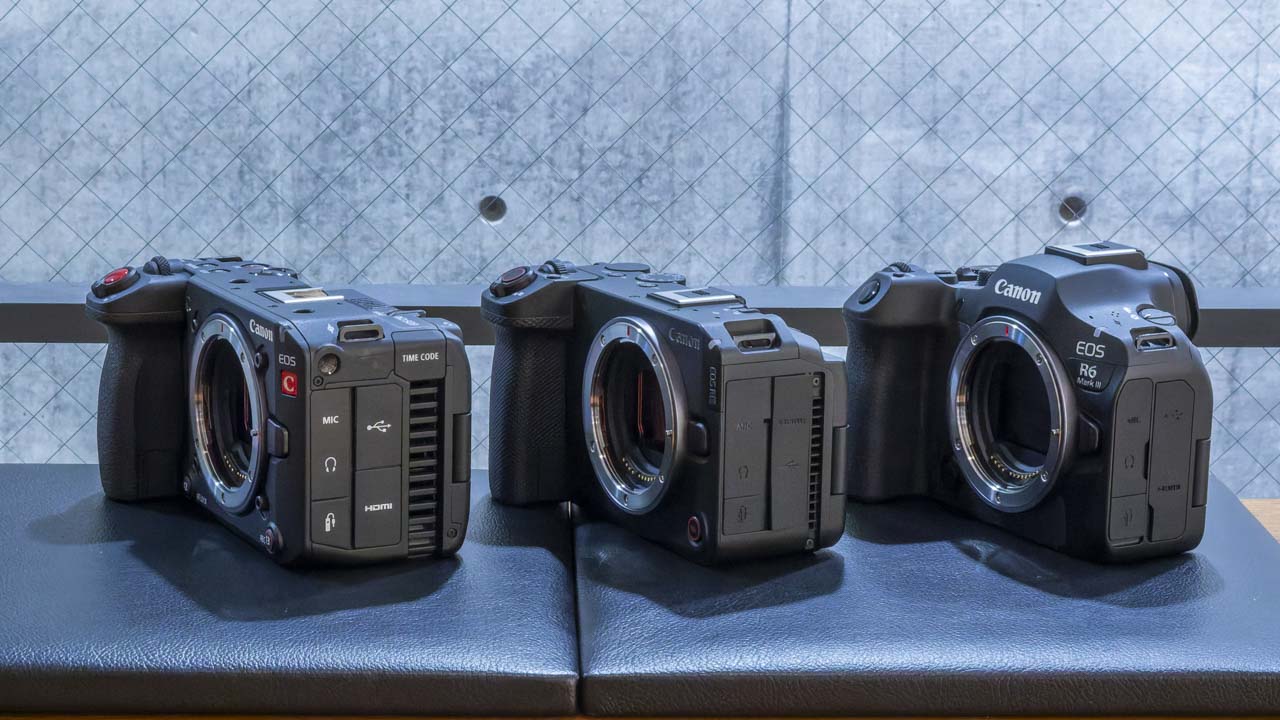
Comparison of specifications for the three models
| C50 | R6 V | R6 Mark III | |
| Open Gate | ○ | ○ | ○ |
| Maximum resolution | 7K60P | 7K60P | 7K60P |
| High Frame Rate | 4K120P/2K180P | 4K120P/2K180P | 4K120P/2K180P |
| Mechanical shutter | × | × | ○ |
| IBIS (CIPA standard) | × | 7.5 steps | 8.5 steps |
| Prioritizing registered individuals for autofocus (AF) | △ (× when recording video) | ○ | ○ |
| Zoom lever | ○ | ○ | × |
| Front REC button | ○ | ○ | × |
| Cooling fan | large | small | × |
| Heat limit time | Unlimited | Unlimited 4K60P (at room temperature) | 4K60P 1 hour (at room temperature) |
| Base ISO switching | 800/6400 (Automatic/Manual) | 800/6400 (automatic switching only) | × |
| Handle/XLR terminal | Included | × | × |
| TC IN/OUT | ○ | × | × |
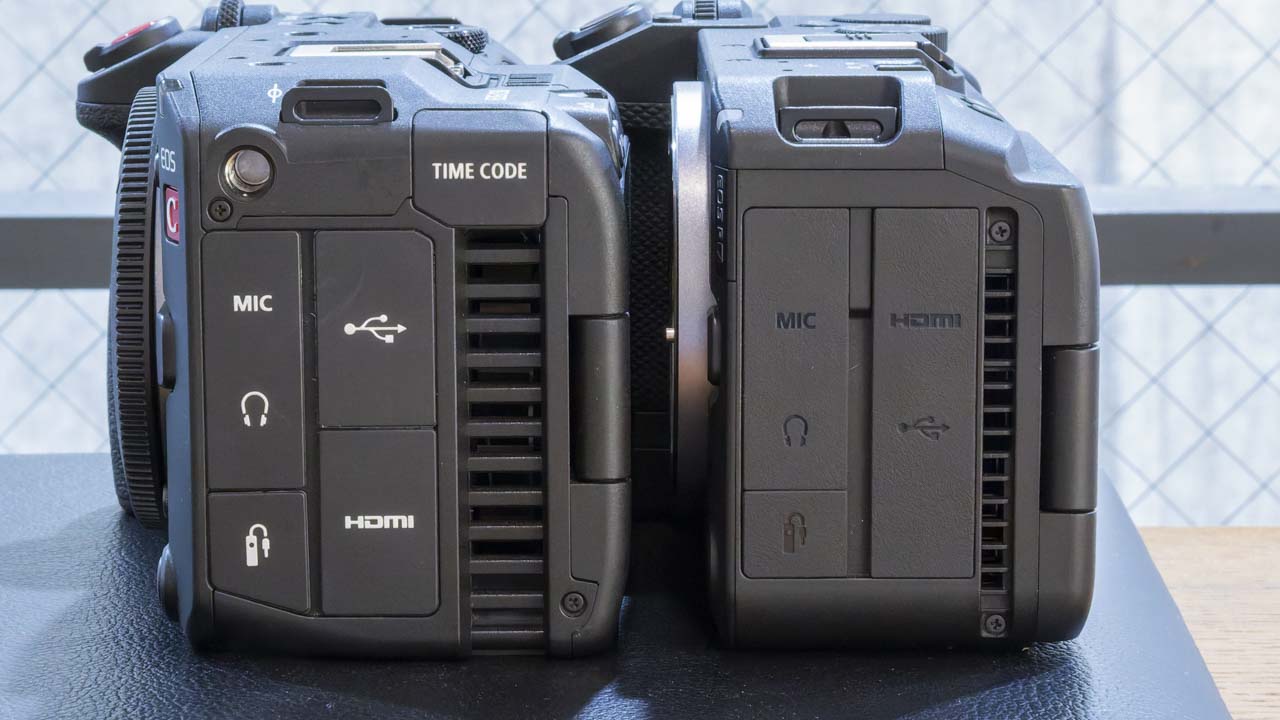
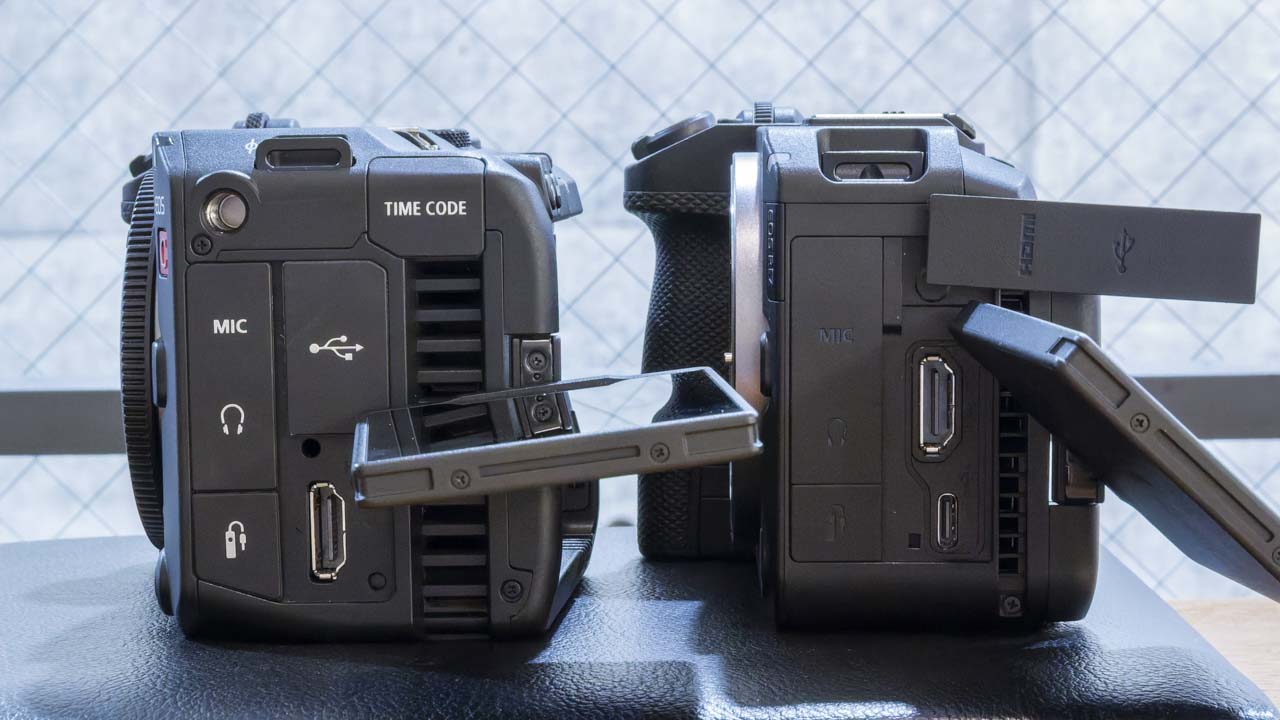
How the Canon EOS R6 V is positioned?
When comparing the CINEMA EOS SYSTEM’s digital cinema cameras, the EOS C50, EOS R6 V, and EOS R6 Mark III, the EOS R6 Mark III clearly excels in still image capabilities and overall refinement. On the other hand, the C50 stands out for its specialized interface and operability as a cinema camera, as expected from the CINEMA EOS SYSTEM.
In that context, the EOS R6 V gives the impression of being positioned right in the middle between the two. While retaining the ease of use of a still camera, it also actively incorporates cinematic video functions and workflows. It gives the impression of being a model that actively combines the strengths of both still cameras and cinema cameras.
Open Gate Production
OpenGate support, in particular, is a symbolic feature. At present, it hasn’t yet become a fully common competitive advantage. While it certainly is a point of differentiation, it seems that only a limited number of creators are actually making full use of its benefits in content creation.
Currently, OpenGate is still perceived as a high-end feature. However, production styles that involve simultaneously displaying vertical and horizontal videos, and workflows that expand from a single source into multiple formats, are sure to become even more common in the future.
Considering this, the EOS R6 V seems to be a camera that is quite ahead of its time in terms of the future of video production. It gives the impression that it’s not just a specs competition, but a camera that was introduced with a strong awareness of how creators will produce videos in the future.