Krotos released its “Video to Sound” plugin, previously available for Adobe Premiere Pro, for Blackmagic Design’s DaVinci Resolve Studio. This integration allows editors to leverage Krotos’ professional-grade pre-recorded sound effects library to quickly create initial drafts of synchronized sound effect tracks. The company’s AI-powered workflow is now compatible with DaVinci Resolve Studio, one of the industry’s most widely used editing platforms.
“Video to Sound is designed to give editors a solid starting point, whether they don’t have a dedicated sound team or they hand over the project to the sound team later in post-production,”
Olfeas Boteas, founder and CEO of Krotos, commented. “This allows for the incorporation of high-quality sound from an earlier stage in the creative process, while the final result is managed by sound professionals.”
Video to Sound doesn’t automate sound design, but rather helps editors create a first draft of synchronized sound effect tracks in minutes, while keeping all placed sound effects editable.
Editors can fine-tune, replace, or expand on this initial soundtrack, allowing them to freely shape and customize each scene rather than building sound effects tracks from scratch.
Editors select a section on the timeline and specify the type of sound effect to add, and Video to Sound analyzes the scene and places video-synced sound effects directly onto the timeline from Krotos’ royalty-free library. At launch, the plugin supports ambience, woos, transitions, risers, impacts, and rustling sounds, with footsteps and spot effects planned to be added in future updates for existing subscriptions.
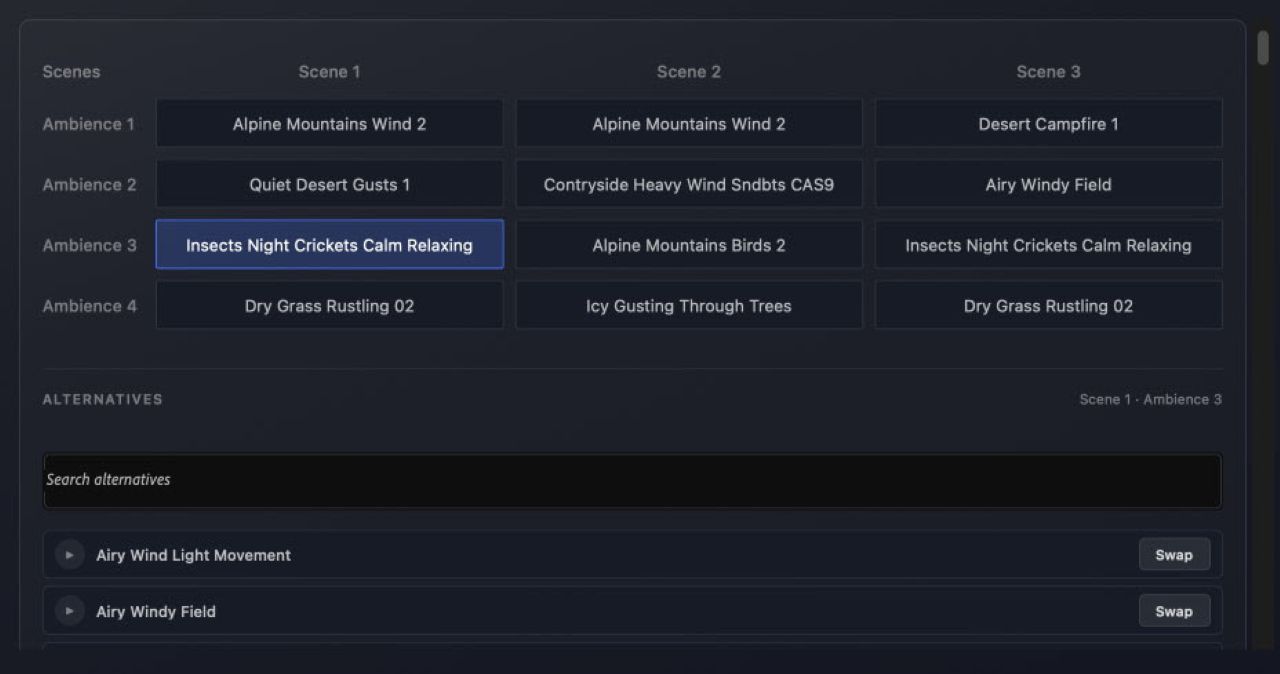
Video to Sound uses AI only for analyzing video footage and matching it with professional sound effects from Krotos’ royalty-free library. All sounds placed on the timeline are actual sound sources from Krotos’ royalty-free library, either recorded by Krotos’ sound designers or with appropriate licensing. The plugin does not generate sound effects using AI; instead, it selects and places the most suitable sound sources from the real-world recording library. This allows editors to start working more quickly while maintaining the realism and nuances unique to real recordings. Krotos does not use users’ video data to train its AI model.
Terms of use
To use Video to Sound for DaVinci Resolve, you need Blackmagic Design’s paid version of “DaVinci Resolve Studio” and a Krotos Studio account. Workflow integration is not supported in the free version of DaVinci Resolve. The integration feature with DaVinci Resolve is included in the Krotos Studio installer and can be enabled during installation. Video to Sound is available for a free trial and is available with subscriptions to “Krotos Studio,” “Krotos Studio Pro,” and “Krotos Studio Max.”