Apple unveiled Creator Studio, a collection of powerful creative apps for video editing, music production, professional imaging and visual productivity.
Further strengthening the important role Mac, iPad and iPhone play in the lives of millions of creators around the world, Apple introduced Apple Creator Studio, a groundbreaking collection of powerful creative apps designed to bring studio-class power to everyone.
Apple Creator Studio’s suite of apps for video editing, music production, professional imaging and visual productivity gives today’s creators the features and power they need to realize their artistic vision while experiencing the joy of editing and customization.
Apple Creator Studio – Built off the Experience of Final Cut Pro, Logic, and Other Popular Apps
Building on the familiar experiences of Final Cut Pro, Logic Pro, Pixelmator Pro, Keynote, Pages, Numbers and Freeboard, combined with exciting new intelligence and premium content, Apple Creator Studio is an incredible subscription package that expands the possibilities for creators of all stripes while protecting their privacy.
Final Cut Pro introduces exceptional new video editing tools and intelligence for Mac and iPad, streamlining even the most complex workflows. Pixelmator Pro comes to iPad for the first time, offering a uniquely crafted experience optimized for touch and Apple Pencil. Music production with Logic Pro for Mac and iPad introduces advanced intelligence, including Synth Player and Chord ID, inspiring anyone to compose, produce and mix popular music across a wide range of genres. In Keynote, Pages, Numbers and Freeboard, Apple Creator Studio subscribers can be even more expressive and productive with new premium content and intelligence on Mac, iPad and iPhone.
“Apple Creator Studio enables creators of all types to explore and develop their craft by providing easy access to the most powerful and intuitive tools for video editing, music production, professional imaging and visual productivity at an affordable price,” Eddy Cue, Apple’s senior vice president of Internet Software and Services, said. “Everything is elevated with advanced, intelligent tools that extend and accelerate workflows. There’s no other way for professionals, budding artists, entrepreneurs, students and educators to get started with such a powerful collection of creative apps with more flexibility and ease, to do their best work and explore creatively from start to finish.”

Smarter and faster video production
Final Cut Pro for Mac and iPad gives content creators, video editors and filmmakers intuitive features to elevate their projects. Users with a one-time purchase for Mac and Apple Creator Studio subscribers can experience the blazingly fast performance of Apple silicon even in demanding workflows, getting into the creative flow faster than ever with new on-device intelligence that makes video production effortless and easy.

Transcript search on Mac and iPad makes it easy to find the perfect audio snippet from hours of footage by simply entering a phrase in the search bar, displaying exact matches and related results. This lets users quickly build video podcasts and interviews without having to spend countless hours sifting through footage. Visual search also provides intelligent assistance when finding specific video clips. Users can quickly pinpoint specific moments in their footage by searching for objects or actions, then quickly add that visual to their timeline.

Final Cut Pro for Mac and iPad also makes editing videos to the rhythm of music fast and fun with Beat Detection, an incredible new way to see musical beats, bars and song parts directly in your project timeline. Beat Detection uses AI models from Logic Pro to instantly analyze any music track and display a beat grid, so users creating fast-paced videos can quickly and visually align their cuts to the music. Re-editing music tracks to a different length is also easier than ever.

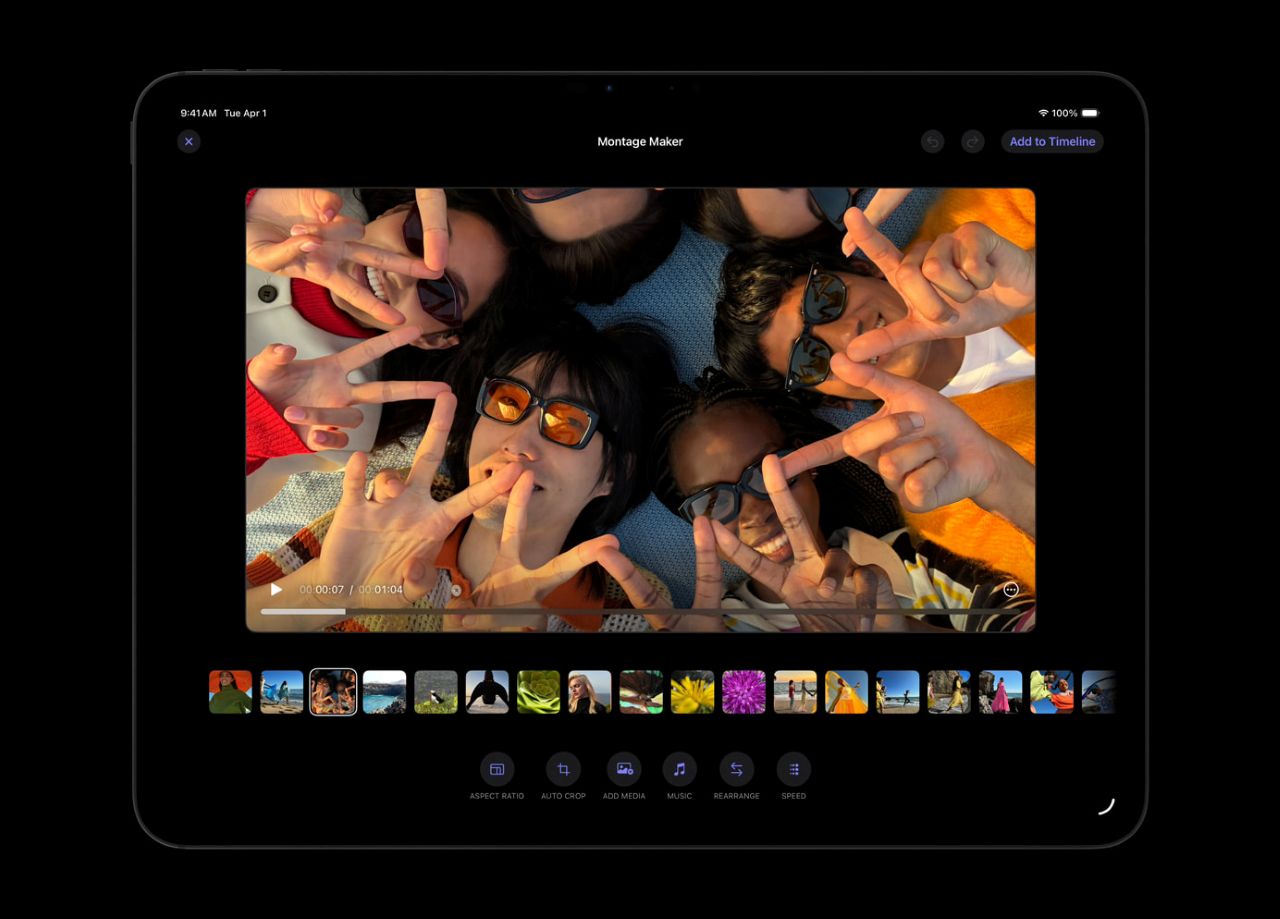
The new Montage Maker in Final Cut Pro for iPad lets users start editing quickly. Harnessing the power of AI, Montage Maker analyzes and edits together dynamic videos based on the visually best moments in your footage. You can vary the speed, cut to a music track, and intelligently reframe landscape video into portrait with auto-crop for easy sharing across multiple social platforms.
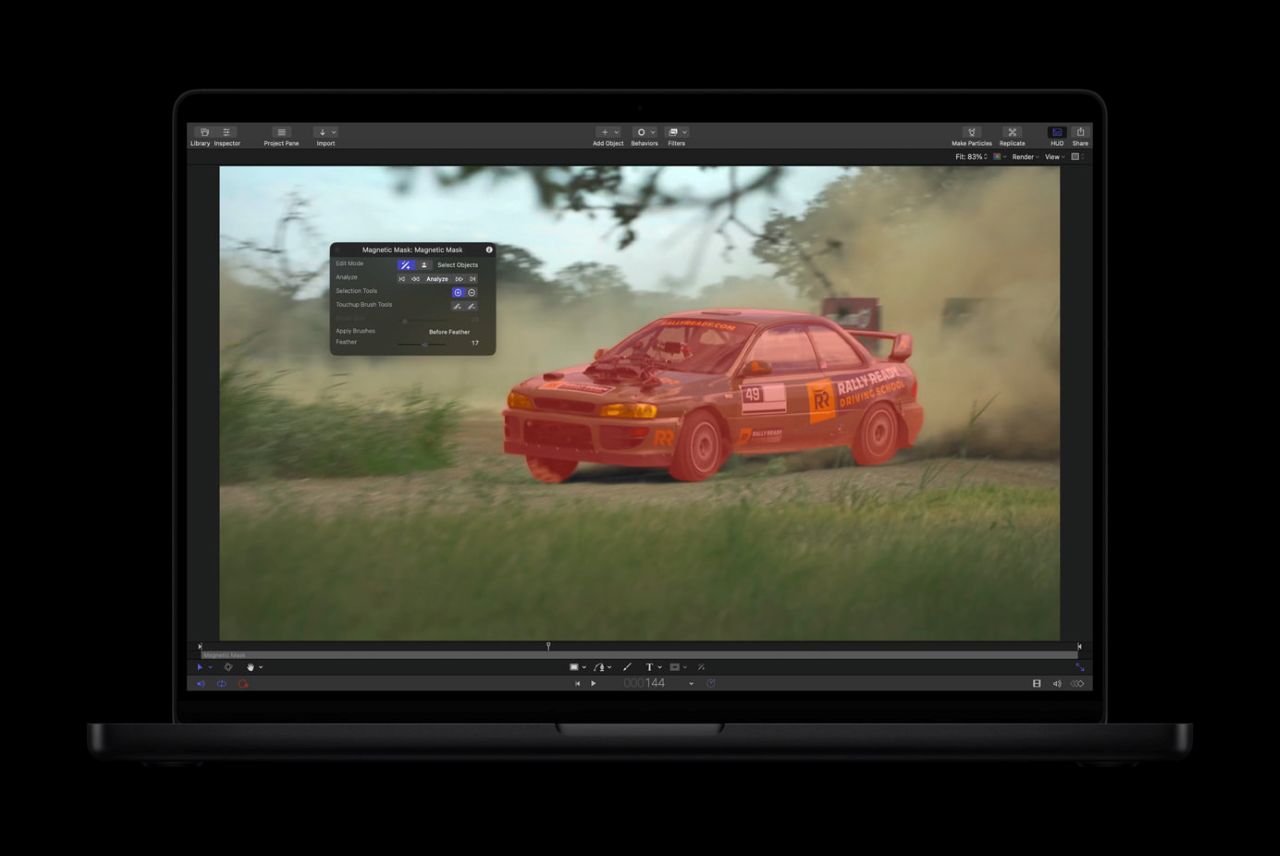
Apple Creator Studio also provides full access to Motion, a powerful motion graphics tool for creating cinematic 2D and 3D effects with intelligence like Magnetic Mask, which easily isolates and tracks people and objects without a green screen. Apple Creator Studio also includes Compressor, which integrates with Final Cut Pro and Motion to seamlessly customize output settings for delivery.
Take your music production to the next level
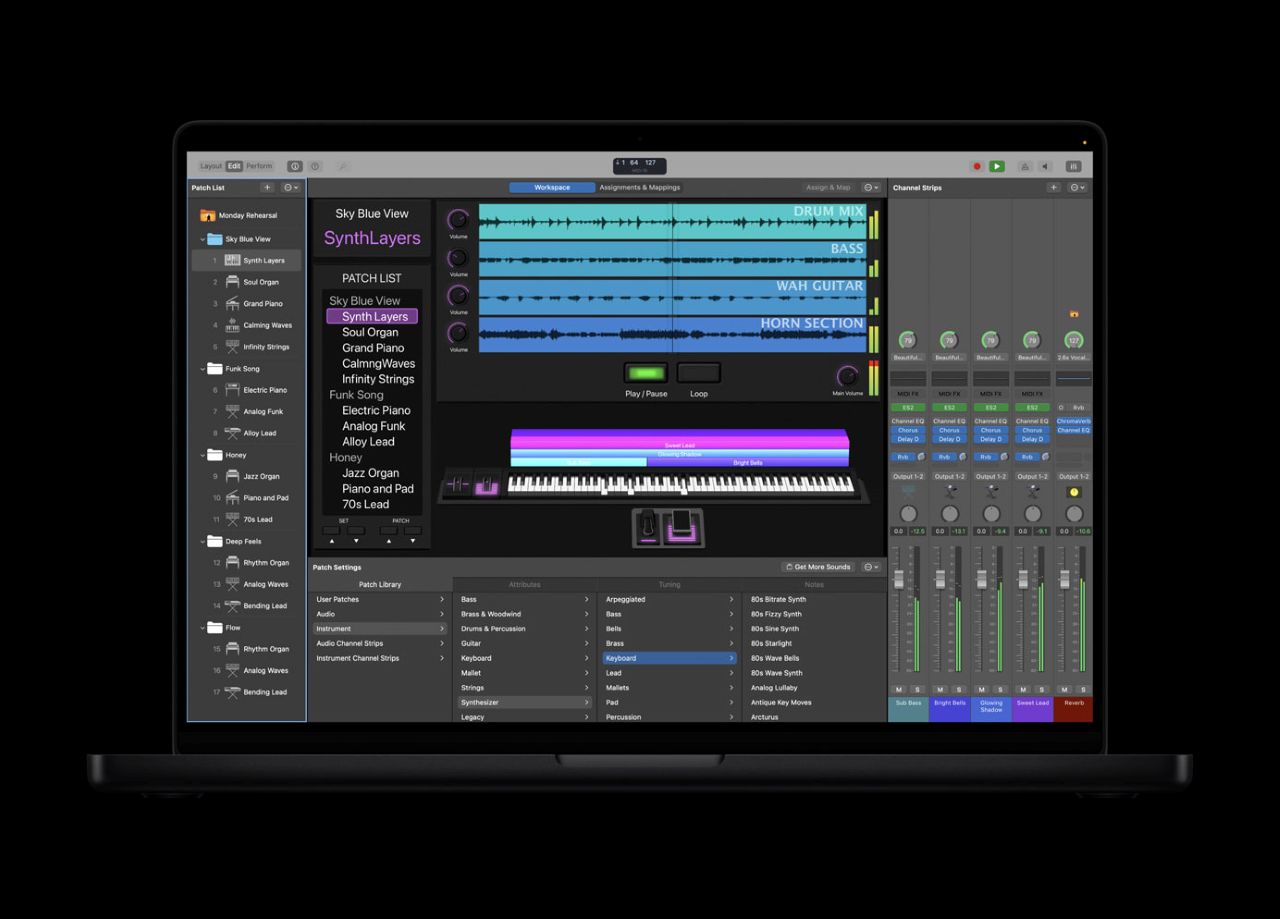
For Apple Creator Studio subscribers or users with a one-time purchase for Mac, a lineup of new features in Logic Pro for Mac and iPad supports musical artists and helps creators deliver original music for video content. New tools are refined, intuitive and intelligent to inspire beat-making, composing, remixing and more.
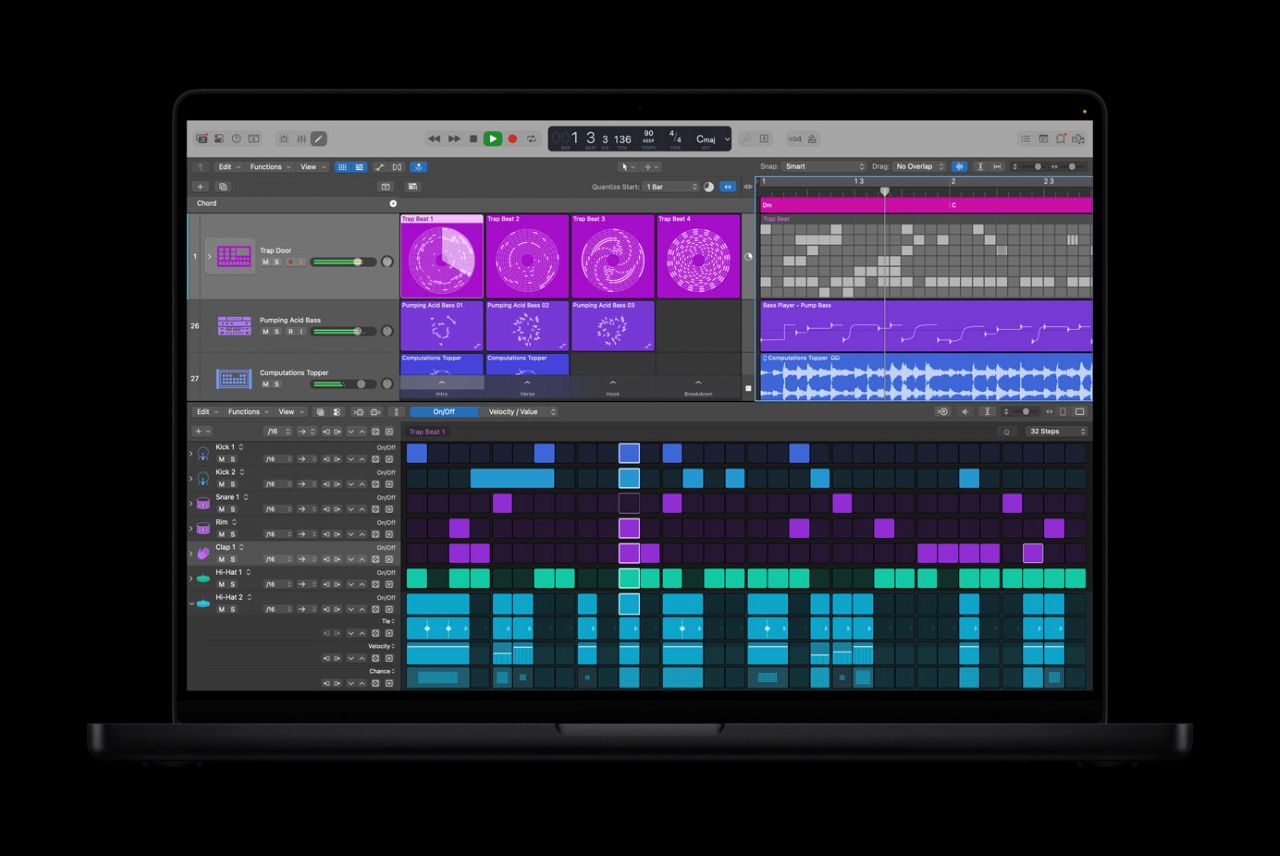
The AI Session Player lineup now includes the Synth Player, enabling electronic music performances with a variety of chord and synth bass parts—all powered by AI and Logic Pro’s advanced software instrument technology. Using the Synth Player is like having a master synthesizer player who can instantly take your musical ideas in new directions whenever you need them. Developed in-house by Apple’s own team of expert sound designers, the Synth Player is powered by Logic Pro’s vast library of software synthesizers and samplers for realism and fidelity. And like all AI Session Players, creators can dictate the complexity and intensity of the Synth Player using intuitive controls, while additional parameters provide access to advanced performance features. The Synth Player can also access third-party Audio Units plug-ins and control external hardware synthesizers.

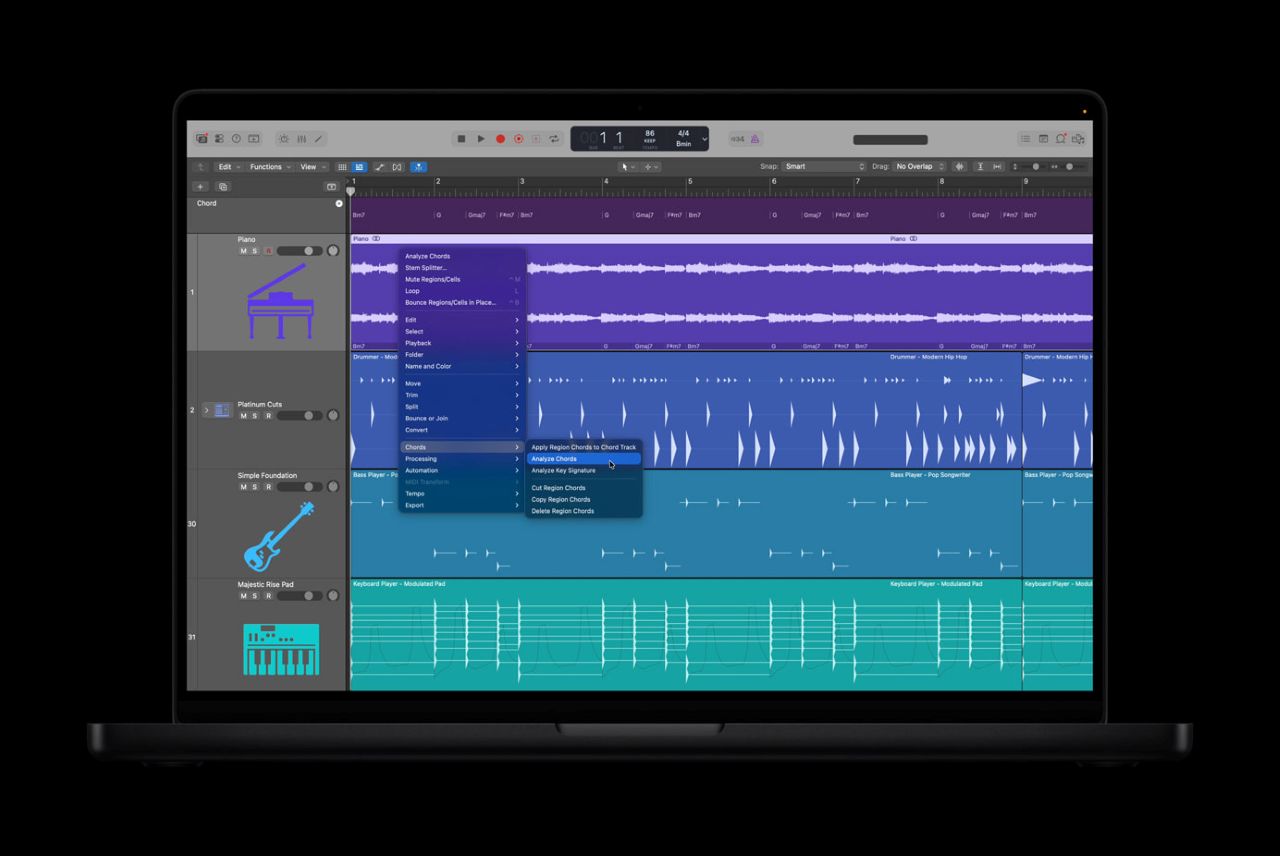
Like a personal music theory expert, AI-powered Chord ID turns any audio or MIDI recording into a ready-to-use chord progression, eliminating tedious manual transcription and helping users develop demo ideas even faster. Designed to maximize the Session Player experience for everyone, Chord ID analyzes the complex harmonic content of nearly any recording and automatically adds chord tracks in Logic Pro. Chord tracks can then be played by any AI Session Player, allowing users to quickly try out different players, styles, and genres, exploring their favorite moods while exploring creatively.
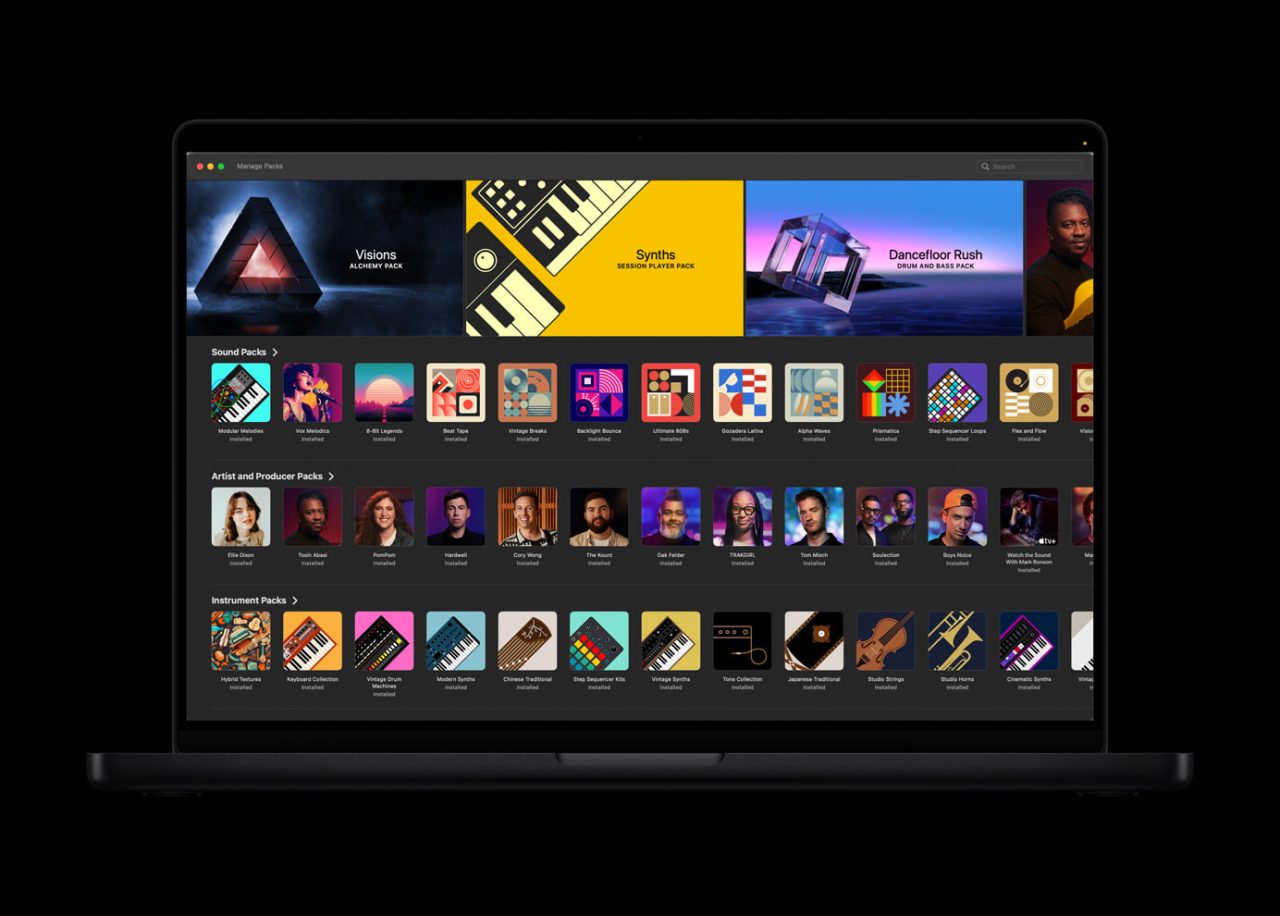
The new Sound Library in Logic Pro for Mac offers Apple Curated and Producer Packages with hundreds of royalty-free loops, samples, instrument patches, drum sounds and more. Additionally, Logic Pro for iPad users now have access to the industry-leading Quick Swipe Correction feature found in Logic Pro for Mac, an essential tool for vocalists and producers looking to create seamless performances in and out of the studio.
Logic Pro for iPad also offers music understanding with natural language search in the sound browser, helping users describe their loops and discover similar ones – no tags, guesses or filters required. AI-based understanding of Logic Pro’s vast loop collection makes it easy to search through natural language or recordings to find similar or complementary loops and sounds.

Apple Creator Studio also includes MainStage, which transforms your Mac into a musical instrument, voice processor, or guitar rig. It lets you share your favorite recorded sounds with a live audience, speeding up setup and teardown, giving you greater confidence in every aspect of your performance.
Professional imaging designed for iPad
Pixelmator Pro, the award-winning image editor for Mac, is now available in the new Apple Creator Studio, bringing an approachable, pro-level editing experience to even more creators. Pixelmator Pro is packed with powerful image editing tools, empowering Apple Creator Studio subscribers or users with a one-time purchase for Mac to design, draw, paint, and perfect their creative vision. And for the first time, Pixelmator Pro is available on iPad, offering an all-new touch-optimized workspace, full Apple Pencil support, the ability to work across iPad and Mac, and all of the powerful editing tools Mac users love. Pixelmator Pro for iPad is built from the ground up for the latest iPadOS, leveraging the blazing-fast performance of Apple silicon to deliver fast and efficient image editing.

Intuitive touch controls make it easier to create desktop-class designs wherever you take your iPad. A full-featured Layers sidebar lets creators create designs using a wide range of unique elements, including images, shapes, text, and even video. The Smart Selection tool helps easily isolate and edit specific parts of an image, and advanced bitmap and vector masks allow users to hide or reveal individual parts of a design. Deep integration between hardware, software, and Apple silicon enables features like Super Resolution for intelligent photo upscaling, Band De-scaling to remove compression artifacts, and Auto-Crop for automatic compression suggestions. Full support for Apple Pencil lets digital artists enjoy drawing in a natural way with a beautiful collection of pressure-sensitive brushes. And the precision of Apple Pencil, combined with features like hover, squeeze, and double-tap, lets creators refine their designs with pixel-perfect accuracy.

Additionally, Apple Creator Studio subscribers get powerful new warp tools in Pixelmator Pro on both Mac and iPad to distort and shape layers in any way they can imagine, along with a beautiful collection of warp-enabled product mockups.
Power your visual productivity
For more than 20 years, Apple’s visual productivity apps have helped people express themselves through beautiful presentations, documents, and spreadsheets with Keynote, Pages, and Numbers. Freeboard brings endless possibilities for creative brainstorming and visual collaboration. Apple Creator Studio powers productivity with new features, putting more intelligence and premium content in the hands of creators to take their projects to the next level. Content Hub is a new space where users can find curated, high-quality photos, graphics, and illustrations. Subscribers also get access to new premium templates and themes in Keynote, Pages, and Numbers.

In addition to Image Playground, advanced image generation and editing tools allow users to generate high-quality images from text or transform existing images using OpenAI’s generative models. With on-device AI models, Super Resolution can upscale images while retaining sharpness and detail, while Auto Crop makes intelligent cropping suggestions to help find eye-catching photo compositions.
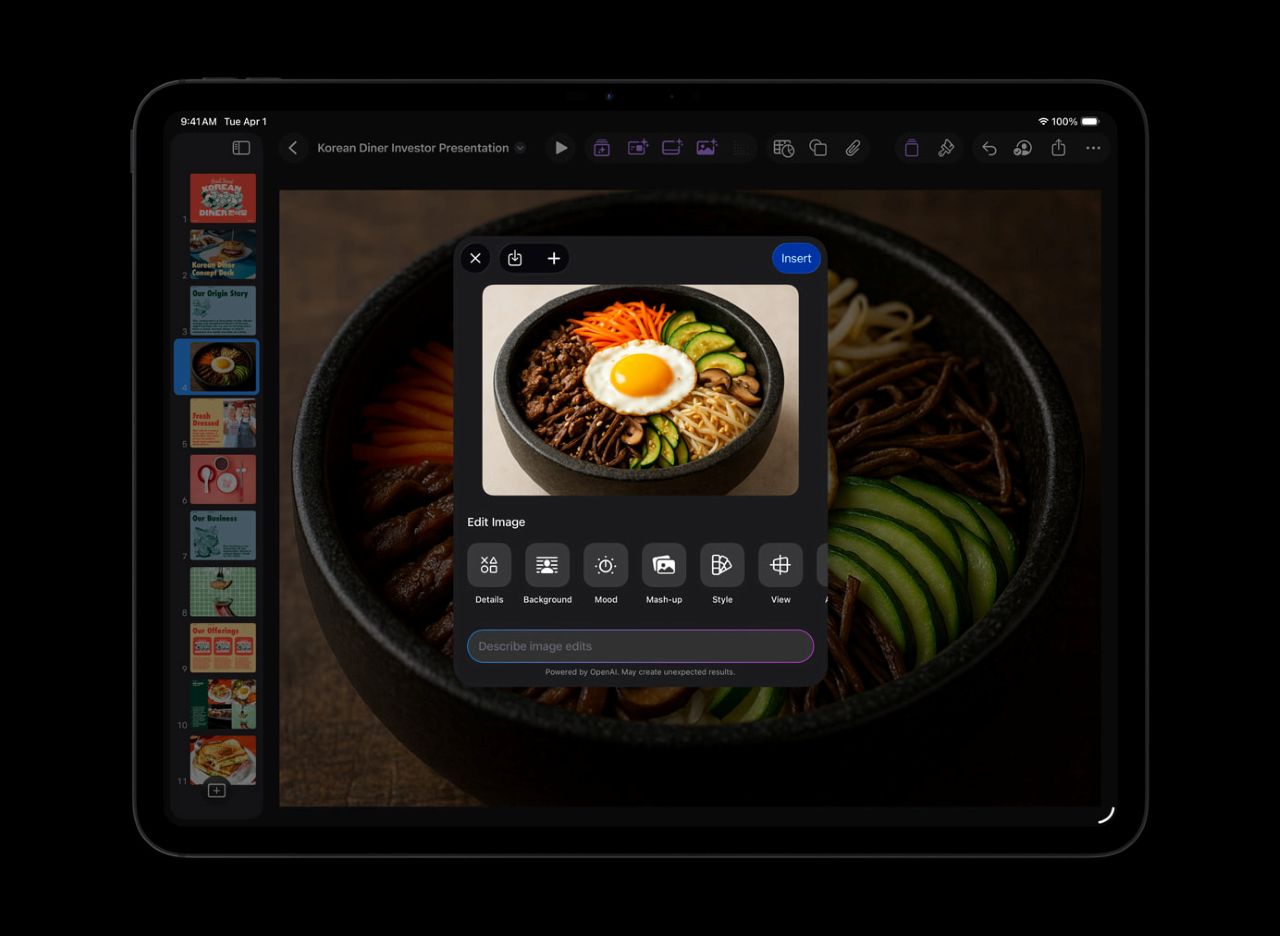
To help users prepare presentations even faster in Keynote, Apple Creator Studio includes beta features like the ability to generate a presentation draft from outline text and generate speaker notes from existing slides. Subscribers can also quickly organize slides to modify layouts and object placement. And in Numbers, subscribers can use Magic Fill to generate and add formulas to tables based on recognized patterns.
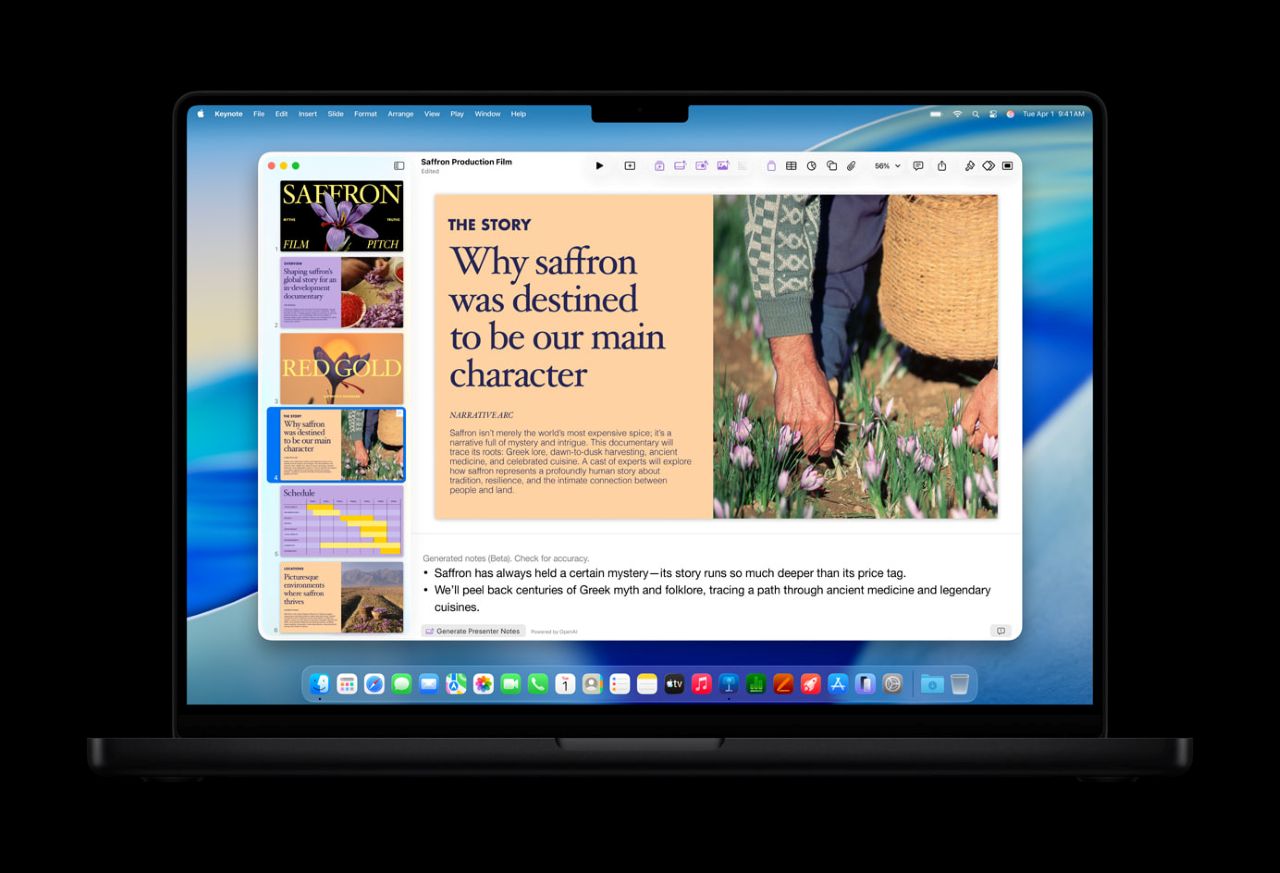
Keynote, Pages, Numbers and Freeboard will continue to be free for all users and allow them to collaborate with others, including Apple Creator Studio subscribers. These apps will continue to receive updates, and the latest versions will introduce a beautiful new visual design language with Liquid Glass on all platforms and support the new windowing system and menu bar in iPadOS 26.
Apple Creator Studio Pricing and Availability
Apple Creator Studio will be available on the App Store beginning Thursday, January 29th for $12.99 per month or $129.99 US per year. All new subscribers will receive a one-month free trial of Apple Creator Studio, and customers who purchase a new Mac or eligible iPad will receive three months of Apple Creator Studio free.
Students and faculty members get a discount. Details depend on region.
Apple Creator Studio is available to download from the App Store as a universal purchase.
With Family Sharing, all apps and content included in Apple Creator Studio can be shared with up to six family members.
Note: Final Cut Pro, Logic Pro, Pixelmator Pro, Motion, Compressor, and MainStage, all are available as one-time purchases on the Mac App Store. The free versions of Keynote, Pages, Numbers and Freeboard will continue to be available and are built into all new iPhones, Macs and iPads.