RØDE Microphones released a new firmware update (version XX) for its Wireless Pro and Wireless Go (3rd generation) wireless microphone systems, which support 32-bit float recording.
This firmware update brings the long-awaited Direct Connect feature to the RØDE Wireless Pro and Wireless Go (3rd Generation), which has been expanded to both products following the success of the company’s Wireless Micro.
The firmware is now available for free download via RØDE’s companion app , RØDE Central (desktop version).
Main new features and benefits of the update
The transmitter (TX) can now be paired directly to an iOS device via Bluetooth via RØDE Capture, allowing for clear audio recording without connecting a receiver (RX) to a smartphone.
*Direct Connect is a feature that is enabled when using the “RØDE Capture” app.
*The system requirement for “RØDE Capture” is iOS 16 or later. Functions may be limited on iOS versions earlier than iOS 15 or on some models.
*Eligible smartphones are limited to iOS devices.
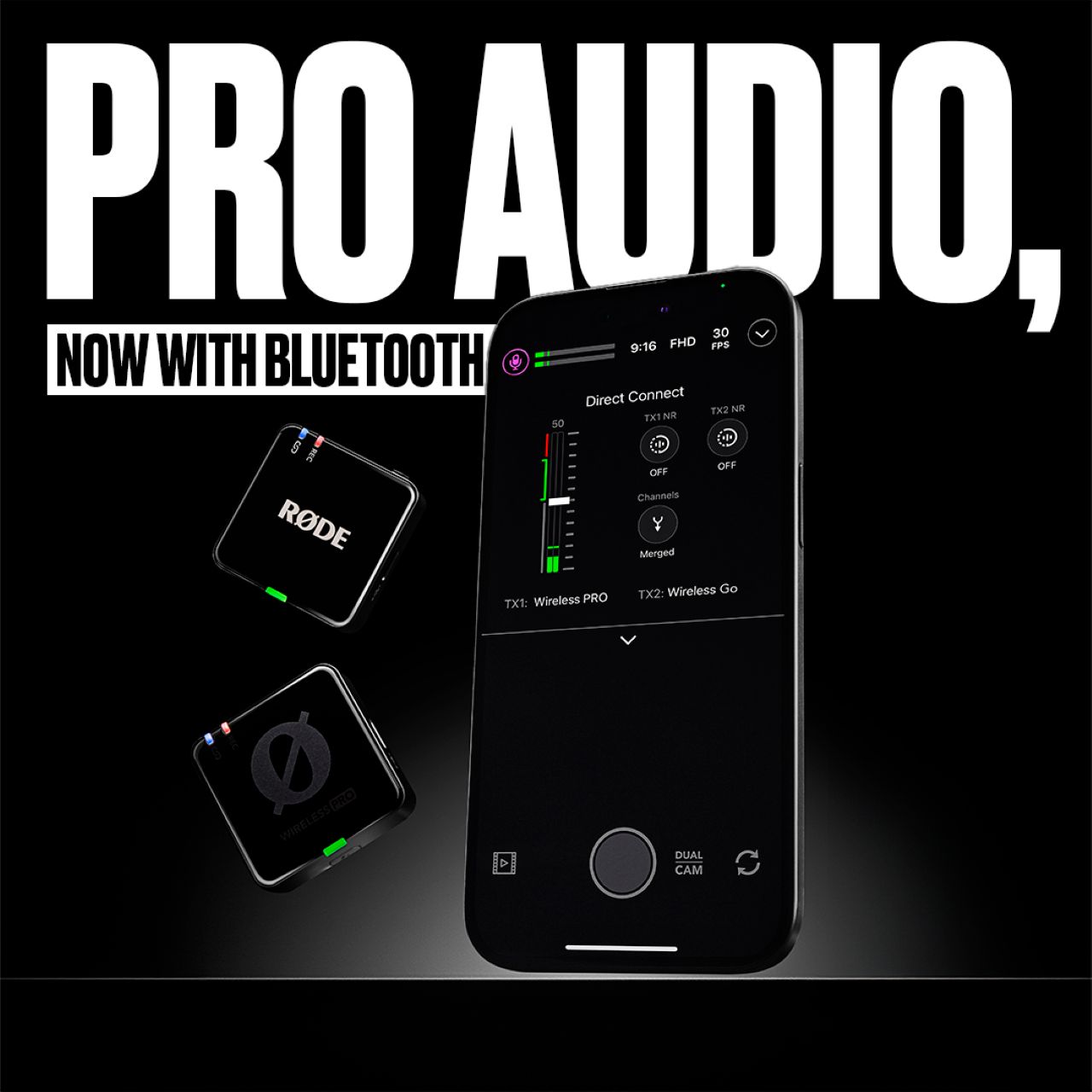
Benefits of Direct Connect
- Dramatically simplified setup and increased portability
- Providing a seamless wireless recording environment for content creators and professionals
- RØDE Capture enhances the overall video capture experience
Main features of Direct Connect
- Scan and pair with compatible transmitters (TX) within RØDE Capture
- Real-time microphone level monitoring
- Change merge mode, split mode settings, and record to device
- Gain assist function settings
How to set up Direct Connect
Step 1: Update your Wireless Kit firmware via RØDE Central.
- Download the latest version of the RØDE Central app to your computer.
- Connect two “Wireless Pro” or “Wireless Go (3rd Generation)” receivers and transmitters to your computer.
- Launch the RØDE Central app. A message will appear if your wireless kit requires a firmware update.
- Follow the instructions on the app screen to complete the update of the transmitter and receiver.
IMPORTANT
: The firmware that enables Direct Connect cannot be updated via the mobile app – you must use the desktop version of RØDE Central.
Step 2: Open the RØDE Capture app on your iPhone
- Ensure you have the latest version of the RØDE Capture app installed from the App Store and open the app.
Step 3: Pair the transmitter with your iPhone
- Turn on the Wireless Pro or Wireless Go (3rd Generation) transmitter.
- In the RØDE Capture app, follow the on-screen instructions to enter the pairing menu.
- Open the audio menu (microphone icon) in the upper left corner of the app. Select “Direct Connect to TX” to begin scanning for available transmitters (TX) to pair with.
- When the target transmitter (TX) appears in the app, tap it to connect.
The preparation is now complete.
The Direct Connect feature is a revolutionary advancement that comes in response to years of critical user feedback, and Wireless Pro and Wireless Go (3rd Gen) further solidify their positions as best-in-class solutions in their respective categories for the growing creative and professional video industry.
RØDE will continue to provide innovative audio solutions that help creators maximize their creativity.
RØDE Wireless Microphone Kit
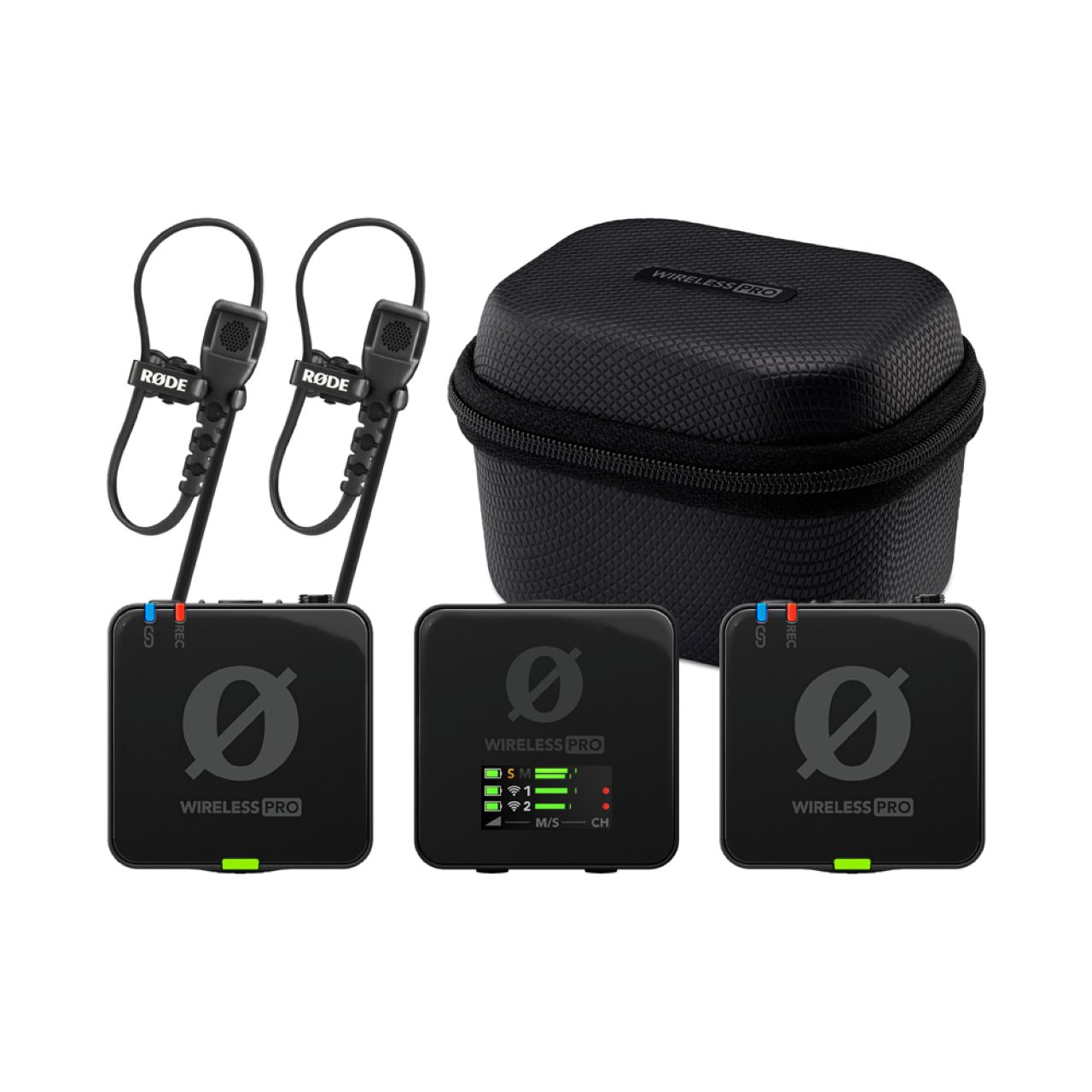
Wireless Pro
Multi-function wireless microphone kit with 32-bit float onboard recording, timecode output, and more
This all-in-one wireless microphone kit packs numerous features into a compact body. With a transmission distance of up to 260m (line of sight), over 40 hours of onboard recording in 32-bit float, timecode output for seamless audio and video synchronization, and a locking connector for the lavalier microphone, it’s ideal for professional use, demanding not only high-quality recording but also a flexible and reliable production workflow.
RØDE Wireless Go (3rd generation)
Ultra-compact wireless microphone kit with 32-bit float onboard recording
Supports 32-bit float onboard recording to ensure clear backups at all times. Professional features include precise gain adjustment, locking connectors, headphone monitoring, and intuitive display and button operation. Available in
eight colorful colors: black, white, green, blue, purple, red, pink, and orange.