An Introduction to the Nikon ZR
Nikon’s acquisition of the US-based RED in 2024 was a memorable milestone in the recent transformation of the video cinema industry. Since then, the two brands have gradually built up synergy with the release of Nikon Z-mount versions of RED’s flagship cameras, the V-Raptor/KOMODO, and the announcement of RED-supervised LUTs compatible with Nikon N-Raw, and are finally announcing their first ever double-branded “cinema camera.” The name remains the same: “Nikon ZR,” a combination of the “Z” from Nikon’s mirrorless brand name and the “R” from RED!
I was able to borrow a pre-release model, so I’d like to introduce it to you to see what kind of camera it is. As of writing (in September) the Nikon ZR is not yet on sale, the image quality is not yet final. Rather than just test shooting, I’ll be reviewing the camera’s usability and delving into Nikon’s vision of a cinema camera.
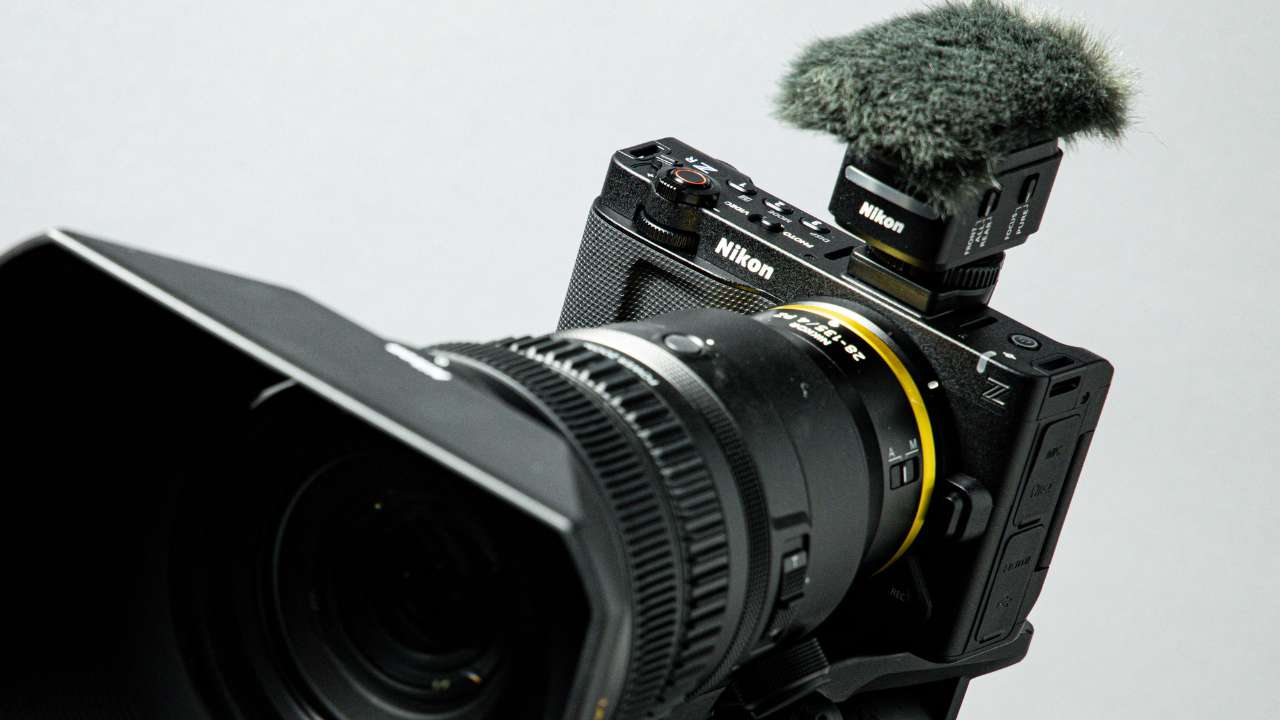
The Nikon ZR surprisingly small. But to achieve that size…
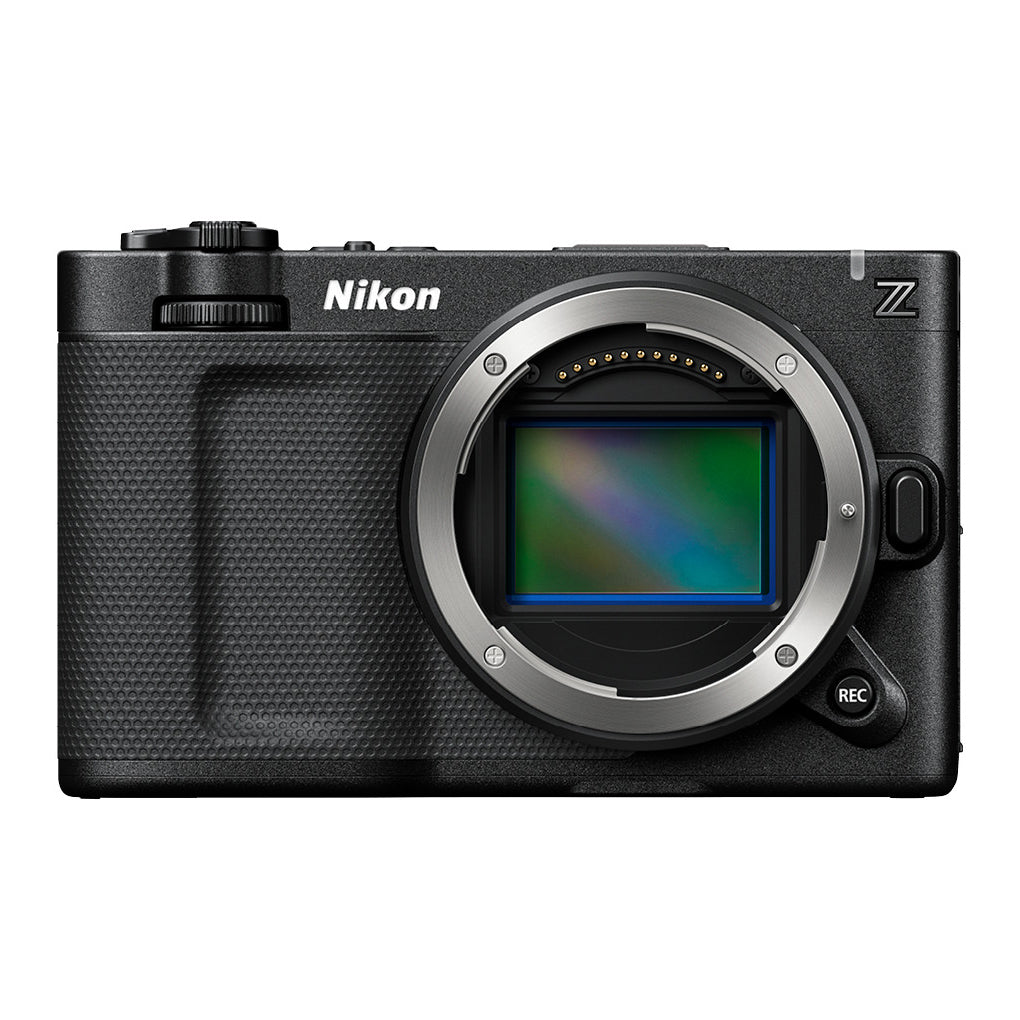
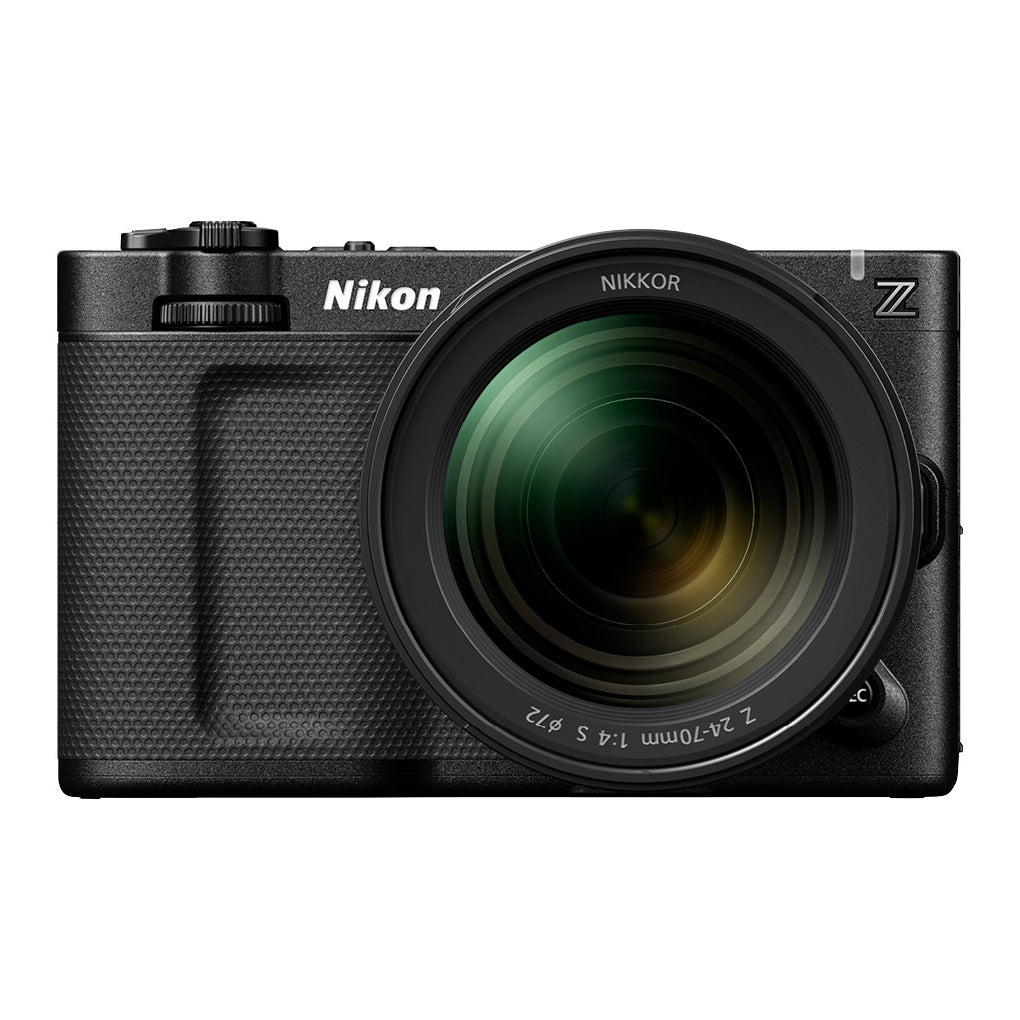
When you pick up the body, the vertical height is just at the mount size limit, and the left and right sides are just large enough to hold securely in your hand. While it’s not as compact as mirrorless cameras like the Sigma fp series, which are all about compactness, you’ll be surprised at how compact it is for a full-frame camera. I personally think it’s particularly impressive that it doesn’t have the large grip that’s common with cameras these days, and that the body itself remains thin. Without the lens, it’s significantly thinner than the Sony FX3, which is considered its rival.
A Cine Camera in a Full-frame body
Although it’s categorized as a cinema camera, I think still users will also be interested in this full-frame camera’s compact size. The first thing you notice when you pick it up is the sturdy, rigid body that’s typical of Nikon. Surprisingly for a cinema camera, it doesn’t use a fan, instead using the entire body as a heat sink, achieving cinema-quality heat dissipation performance, and the hardness and coolness of the metal that makes up the surface can be felt by your fingers. However, this structure raises concerns about overheating in midsummer, so I’ll be keeping an eye on future reviews.

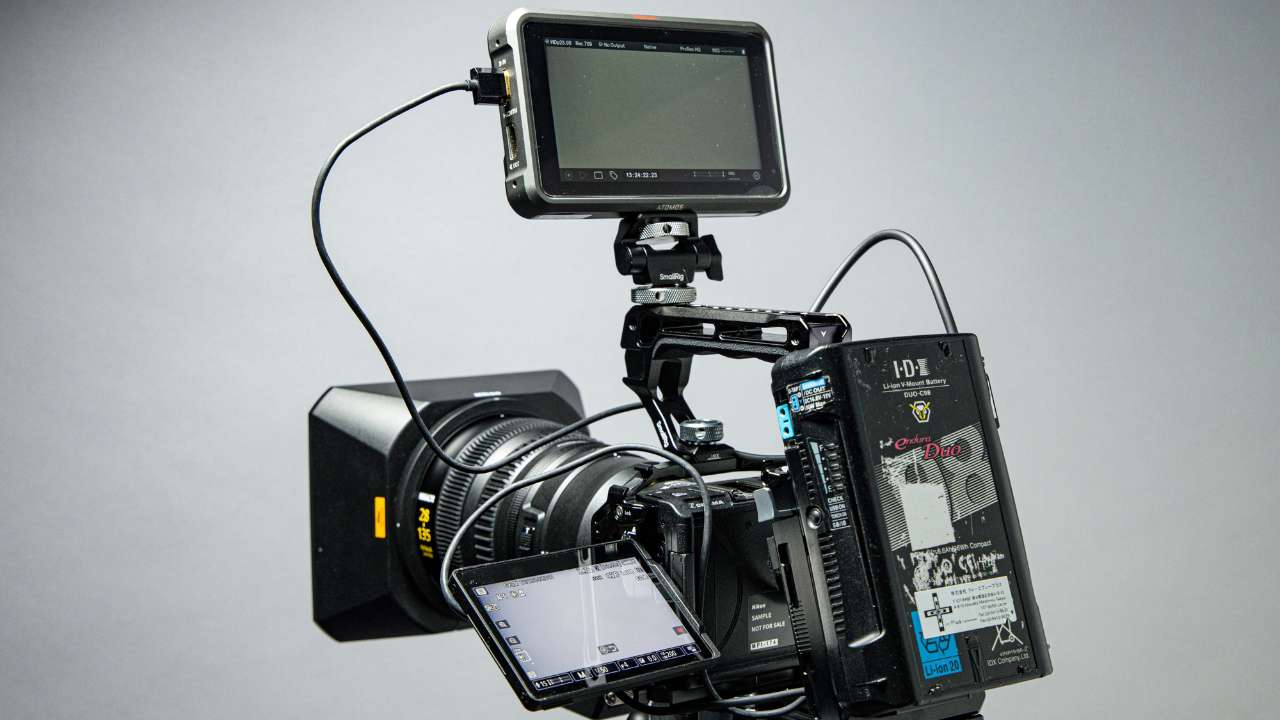
Large LCD Monitor
The LCD monitor is an unusual 4 inches for a camera of this size, and offers extremely high quality in both color and brightness. It’s also a very useful size for checking composition and exposure on its own.
When you flip the Nikon ZR over, the back has the “NIKON | RED” logo, which was the first to be engraved on a Nikon camera and looks very familiar. Most of the back is used to house the monitor, and the controls are limited to a small jog button, two buttons for menu and playback, and a command dial.


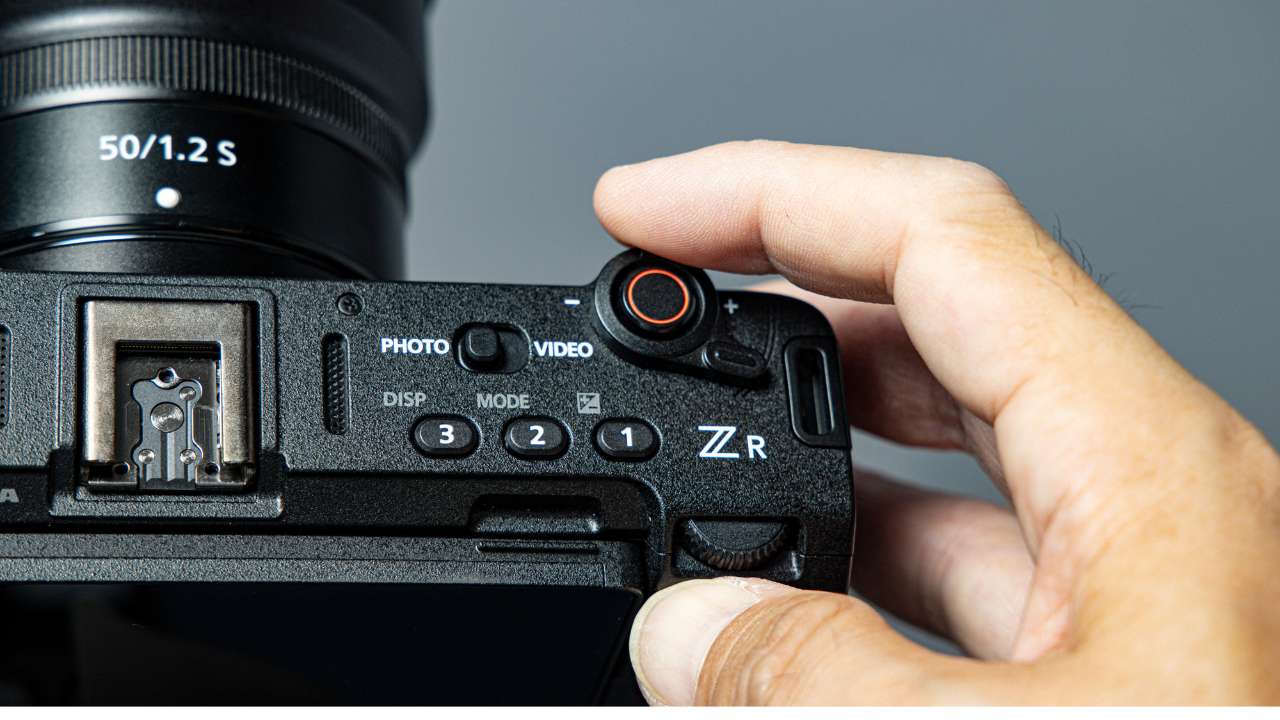
The buttons on the top
Looking at the top, there’s only a power button on the left, two long, thin slits for the microphone (see below), a quick shoe in the center, and on the right side there’s a PHOTO/VIDEO switch with three assignable buttons, and a shutter (REC button) integrated with the zoom lever, making it exceptionally simple compared to previous Nikon cameras. There’s no mode dial or exposure compensation dial on the top, and the only things that seem customizable are the three assignable buttons, which some people might find lacking.
The zoom lever located around the REC button has a unique shape that allows it to be operated not only with the index finger, but also with the thumb when held from above. On the front, there is a command dial directly below the REC button, a mount release button to the right of the mount, and another REC button diagonally below, but these are the only controls. The design, which has been reduced to just the bare minimum, clearly sets it apart from previous still camera models.


Connectors
Let’s take a look at the connectors on the left side of the camera. The rubber cover is divided into upper and lower halves, with the upper one housing a stereo mini jack for earphones and a microphone. The lower one houses a micro HDMI and USB-C connector. While it’s a bit disappointing that it’s advertised as a dedicated video camera, it does show a strong commitment to miniaturization, even at that cost. The headphone jack also doubles as a remote control.
The USB-C port also supports power supply for shooting in addition to connecting to a PC, so by connecting it to a mobile battery or similar, you can continue shooting without worrying about the remaining battery life. The kit I rented this time did not come with a charger, so unless you purchase a charger separately, you will have to charge it from the camera itself. This is a feature that is often seen in digital cameras these days, but I find it a bit disappointing.
Bottom, battery and media storage
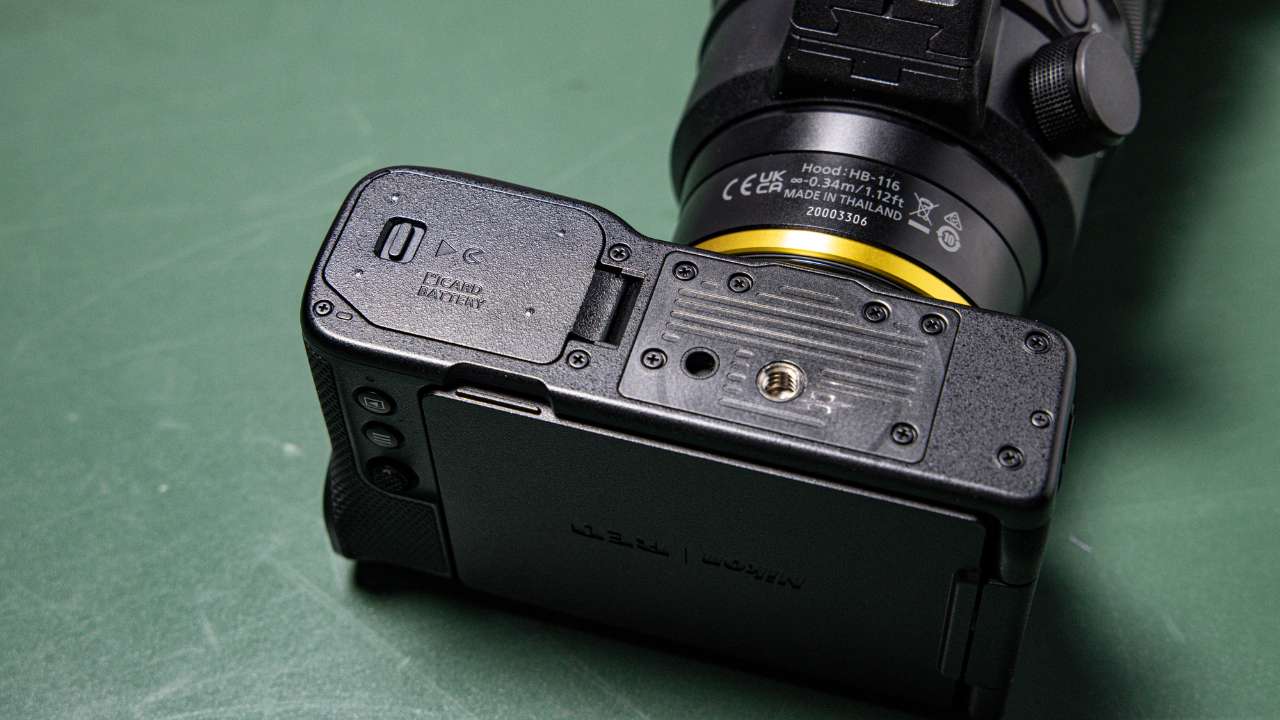


Let’s take a look at the bottom. There’s a tripod socket and pin holes for mounting, but the pin holes are arranged side by side, which is a bit unusual. The battery cover is shared with the media slot, and the battery is the EN-EL15c, the same as the Z6III. The media configuration is as follows: a slot compatible with CFexpress Type B and XQD, and a dual slot for micro SDXC. The choice of micro SDXC media, and the shared design of the battery and media slot, is so simple and straightforward that you might be tempted to ask, “Is this an action camera?”
The biggest talking point about the exterior is its compactness. However, the choice of micro HDMI and micro SDXC to achieve this, the shared design for the battery and media, and the extremely limited number of buttons compared to previous models all give the impression of a thorough “compromise” and “choice,” and I think people’s opinions will be divided. In any case, the ports are designed with a strong desire to make the body compact while ensuring a minimum level of convenience.
Can you take RED-quality photos with AF smoothly? Turn it on and check!
Let’s turn it on. The power is not a physical switch but a button that you press, and the moment you turn it on it lights up green, but after that there is no visible difference between on and off.

It was explained that the sensor and image engine will be inherited from the Z6III, which was released in July 2024, but the entire device has been redesigned and brushed up to suit video specifications.

If you go into the menu and select “Video Recording File Format” from the video shooting menu, you’ll see the words “R3D NE 12-bit,” one of the biggest topics of this article. It’s an adaptation of the compressed RAW format “R3D” used in RED cameras, optimized for Nikon’s sensor and image processor, and is said to have a dynamic range of 15 stops or more by RED standards. This could be said to be one of the greatest achievements of the collaboration between Nikon and RED.
However, while the R3D in the V-Raptor and KOMODO is 16-bit, this one is 12-bit, and it doesn’t offer detailed customization such as choosing the compression rate. However, being able to shoot video in RAW as the R3D NE with such a compact, portable mirrorless body is an unprecedented shooting experience.
Image Quality
I’ll keep my comments on the image quality evaluation to a minimum, but the first thing I noticed after using it a little was the lack of rolling shutter. The V-Raptor and KOMODO also have global shutter models, so I can’t compare them, but I felt it was very excellent. The AF during video shooting is also at a standard level for a Nikon camera, so even those who have been disappointed with the AF of cinema cameras can use it with confidence. Just having a camera that can shoot the R3D smoothly with AF is impressive.


When shooting in high speed, the Nikon ZR supports 119.88fps in 4K and 239.76fps in HD, but when R3D NE is selected, the maximum is 119.88fps in 4K, and in that case it seems to be cropped.
Incidentally, in addition to R3D NE, N-Raw and ProRes RAW are also available as RAW options. Having three different RAW formats in one camera is redundant, and I expect this will be streamlined in the future. N-Raw offers more flexible settings than R3D NE in terms of ISO sensitivity, but if you want to make the most of the sensor’s dynamic range, R3D NE is the best choice.
Various other recording formats available, however!
In addition to RAW, you can also select versatile formats such as ProRes422HQ and H-265 10bit. However, Log is not RED-compliant Log3G10, but N-Log or SDR image quality. Another important point is that when SDR image quality is selected, you can select the “CineBias_RED” picture control from the picture control screen to shoot in a cinematic color mode supervised by RED.

Although it’s a small detail, you can apply a LUT to the screen while shooting, and when monitoring via HDMI you can choose different display styles for the built-in monitor and HDMI (the menu is displayed on the main unit, but only clean output is from HDMI), which I think are nice features as there are surprisingly few cameras of this size that can do this.


Extensive audio functionality not found in mirrorless cameras


Another important point to note is that the camera supports 32-bit Float audio recording. This recording method has become popular with recent field recorders, and by taking an extremely large dynamic range, it is possible to record without worrying about sound distortion. Since it is often difficult to pay attention to even the smallest gain adjustments while recording video, the increased accuracy of continuous recording is a welcome feature.

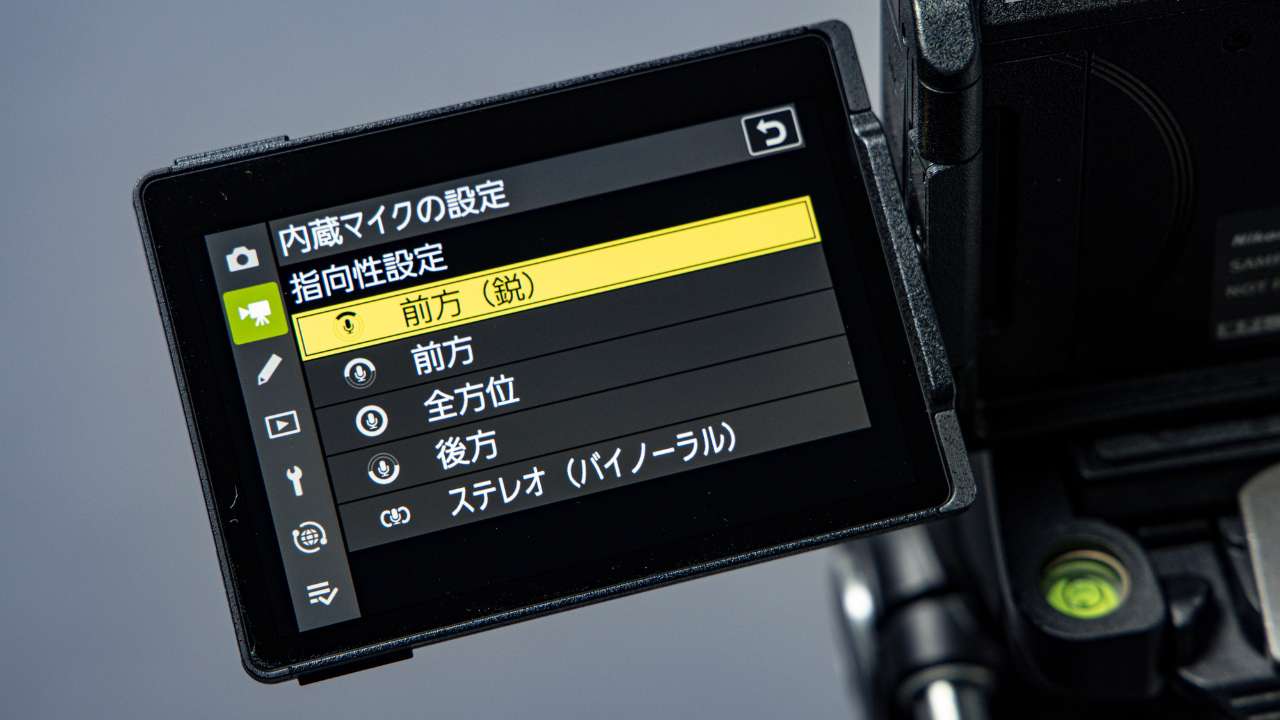
OZO Audio Support
The Nikon ZR also supports Nokia’s OZO Audio, allowing you to record immersive spatial audio. The directional sensitivity of the long, thin microphones located on both sides of the quick shoe on the top of the device can be adjusted, allowing for sophisticated settings such as forward, omnidirectional, rearward, and binaural (a natural stereo experience as if you were listening with your own ears).
Additionally, the quick shoe has been upgraded to an intelligent shoe that can communicate with accessories, allowing for more accurate recording when used with the ME-D10 external microphone. Compared to the FX3, which has a full-size XLR input and manual controls integrated into the grip, these rich audio functions suggest a design philosophy that allows for more complete integration within the Nikon ZR itself. On the other hand, in terms of expandability, the camera only has a stereo mini jack input, so I felt that some ingenuity was needed in terms of collaboration with the recording section.
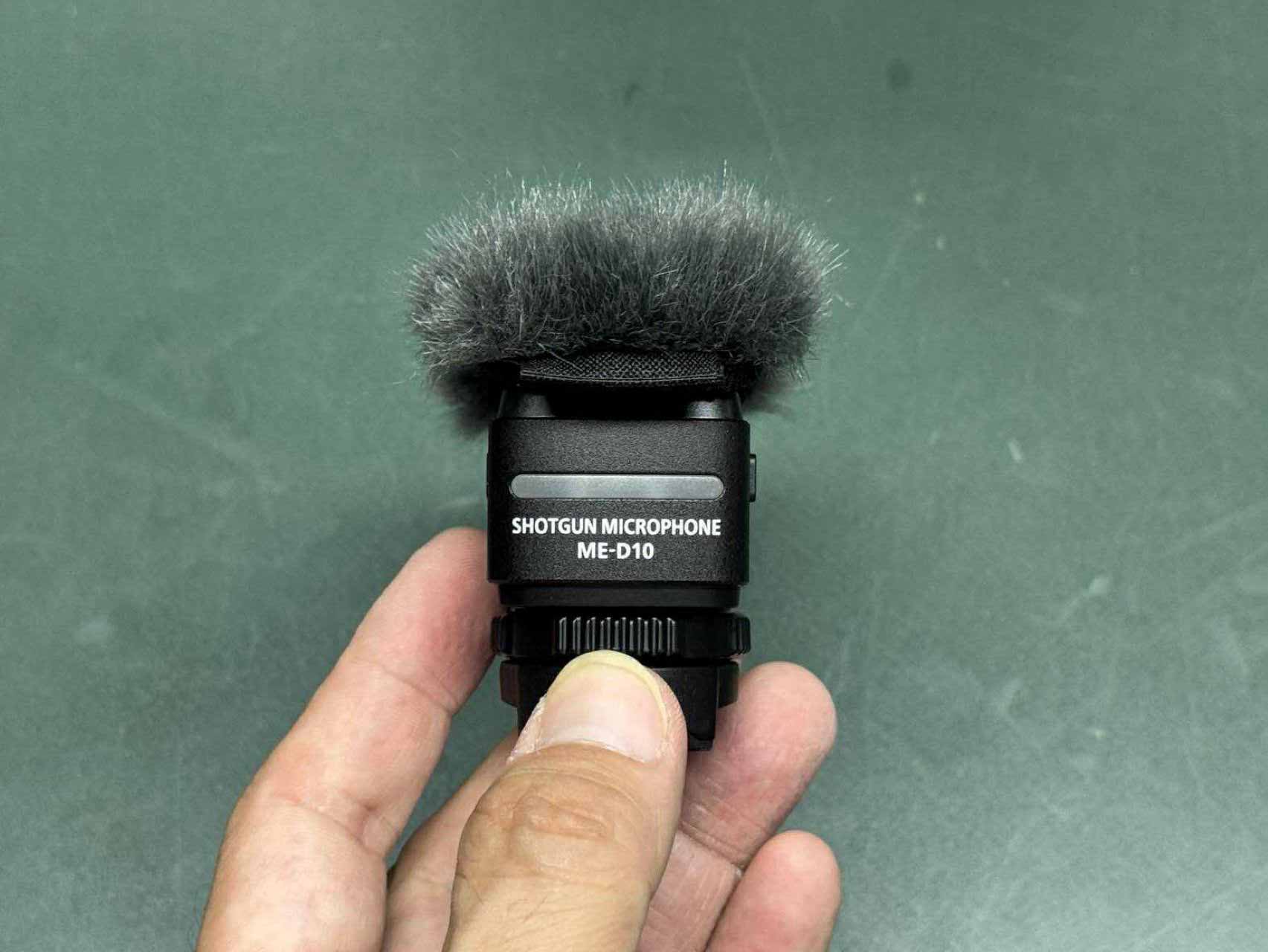
 Click on the images to enlarge
The Nikon ZR, meanwhile, utilizes a timecode compatible with the ATOMOS Air Glu timecode system, which uses Bluetooth. However, I felt it would be better if it also supported wired timecode synchronization.
Summary: Is this the definitive “no-nonsense” mirrorless video camera released by Nikon?
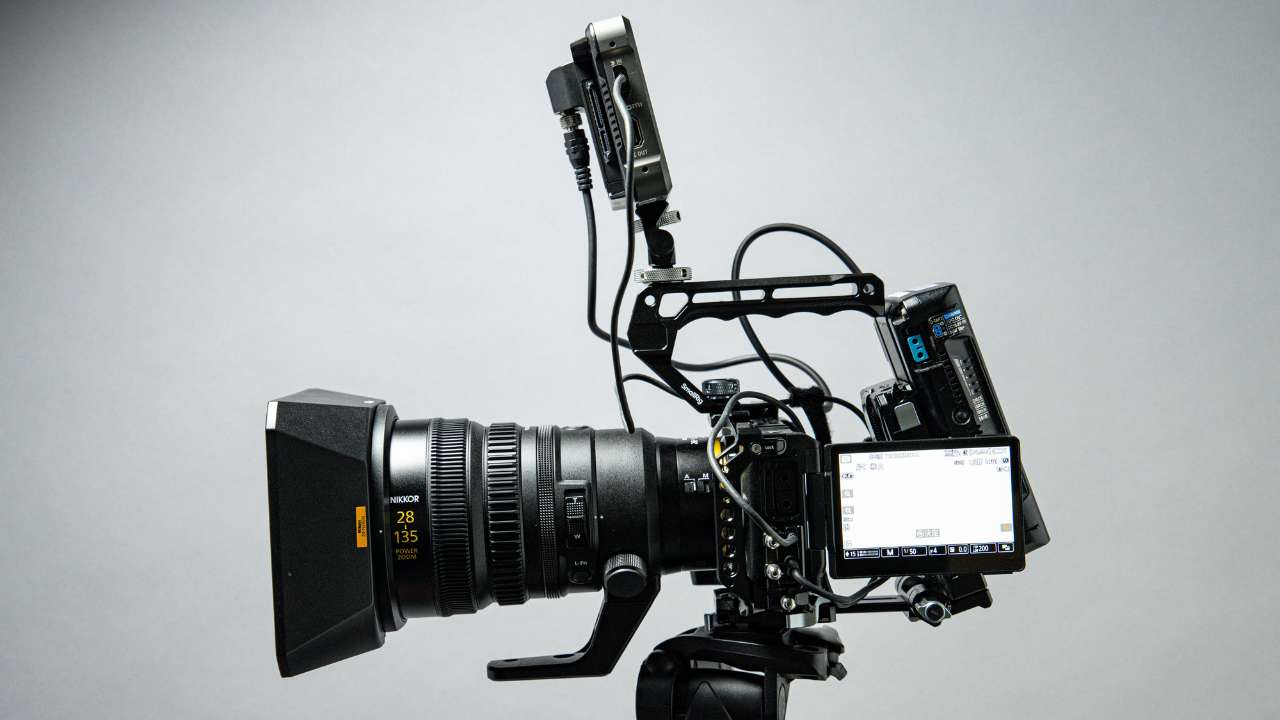
We’ve introduced Nikon’s exciting new product, the ZR. This is the first camera born from a collaboration between Nikon and RED, and it comes in the most luxurious packaging imaginable at the moment: a Nikon-quality body with RED-quality RAW video. We think this is a camera that’s sure to garner a lot of attention.
Despite being a full-frame camera, the body size and controls push the boundaries of compactness and ease of use, a point I welcome as someone who likes simplicity. However, the use of micro HDMI and micro SDXC, and the configuration that allows the battery and media to coexist in the same cover, are undeniably “aggressive” points that will undoubtedly be controversial. I don’t think micro HDMI, in particular, should be chosen for a “video-oriented camera.” I can’t help but think that it would have been possible to make the USB-C also function as a video output.
That being said, this is almost Nikon’s first time releasing a dedicated camera that heavily features video, and the fact that they’ve released a camera with a completely new design, rather than a strange rehash of an existing camera, really shows that they’re serious about it. It would be great if the arrival of this camera leads to the “RED tone” being increasingly adopted in Japanese consumer video. I really hope that this happens.
WRITER PROFILE

This review was riginally written in Japanese by Keita Yugoshi
A cinematographer affiliated with Tohokushinsha OND°. Originally from Fukuoka, he has a strong desire to try out new cameras and lenses.