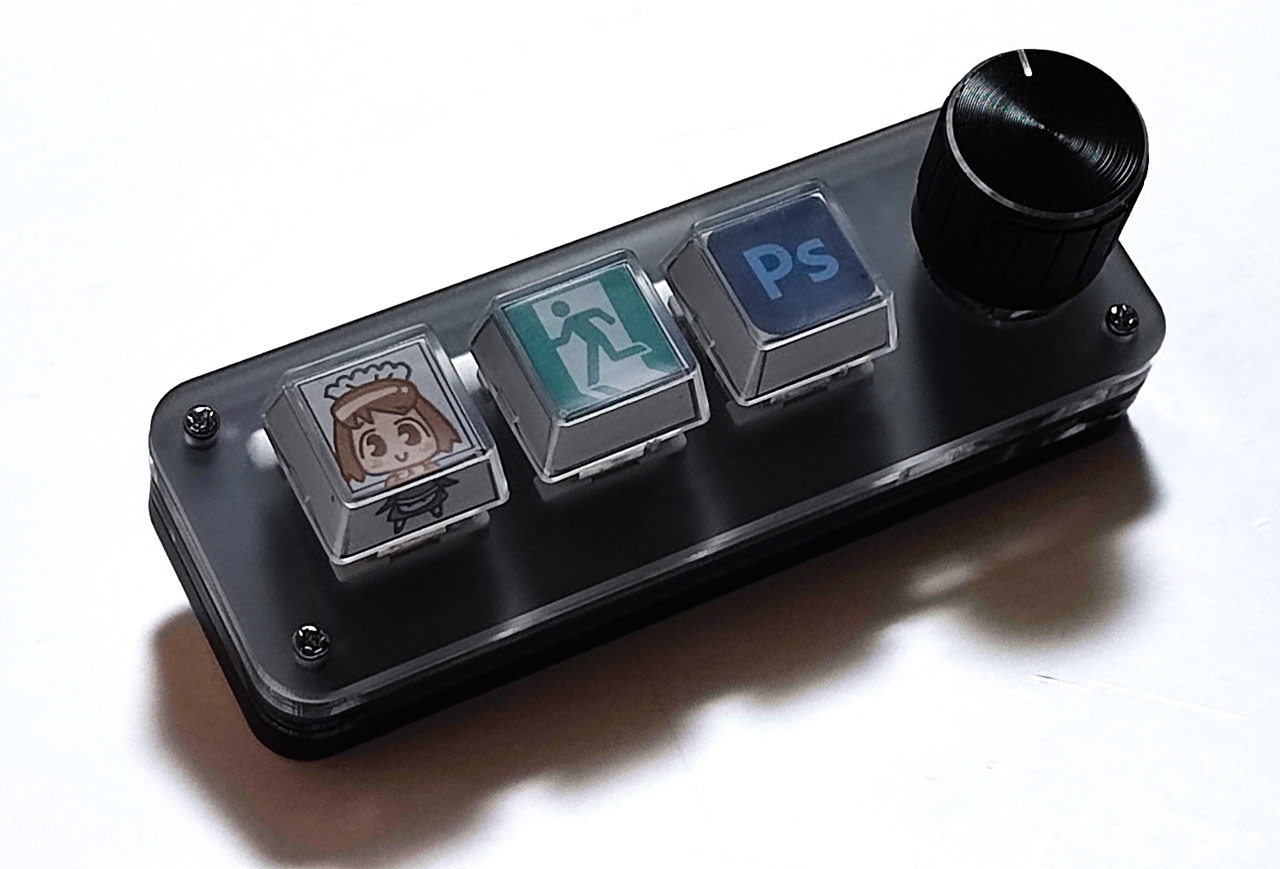
XYZA released the ultra-compact Tinykeyboard3Plus programmable keyboard equipped with three mechanical keys and a rotary knob that allows intuitive operation. Custom keycaps are also available.
Development Background
The “Tinykeyboard3Plus” is a practical yet fun gadget that fits in with the current trend of “typist-focused.” Its development was based on the countless shortcut operations used in daily work. It was developed to reduce the amount of time the left hand spends busily moving around on the keyboard, such as when using “Ctrl+C (copy),” “Ctrl+V (paste),” and timeline operations when editing videos, to nearly zero.
The palm-sized device is packed with frequently used functions and is said to accelerate any “task” into “creativity” for everyone from creators to business people.
Highlights of “Tinykeyboard3Plus”
Intuitive “turning” operation: Multi-function rotary knob
The device’s greatest feature is its pressable rotary knob, which allows users to perform analog-style fine adjustments with just a single finger, such as frame-by-frame video playback, zooming in and out of images, adjusting the volume, and scrolling through a browser, all of which are difficult to do with a keyboard.
Achieving both a comfortable typing feel and quiet operation
Red Axis Mechanical Switches: We focused on the quality of the input device and adopted the standard “red axis” for mechanical keyboards. It allows for light typing, reduces fatigue even with extended use, and its quiet design reduces clicking noise, allowing you to use it in the office or cafe without worrying about disturbing others.
On-board memory keeps your settings even when you change PCs
Functions assigned using the dedicated app are saved in the device’s internal memory. The app is available free of charge for both Windows and Mac, so you can easily and seamlessly set up your own device in any situation without the hassle of reconfiguring it. Simply connect it and it will function as your own device.
RGB backlighting and customizability to brighten up your desk
The keyboard is equipped with RGB LEDs that not only enhance visibility but also satisfy the desire to own it. In addition to the standard model, a “custom keycap” model is also available, meeting the needs of users who are particular about their desk setup.
Usage scenarios
- Video editing: Scroll the timeline with the knob, and assign cut/delete to the buttons
- Design/Illustration: Change brush size and go back using just your left hand
- Excel/Office Work: Reduce input errors by consolidating complex shortcuts and routine operations into a single button
- Gaming: For switching streaming software and instantly adjusting the volume
- Manga reading: You can freely set scrolling and page roll for both vertical and horizontal reading.
XYZA Tinykeyboard3Plus Product overview
| specification | 3 buttons + 1 knob (push-enabled), red axis mechanical switch |
| Supported OS | Windows 10/11, MacOS (setting software provided free of charge) |
| connection | USB-C (cable included) |