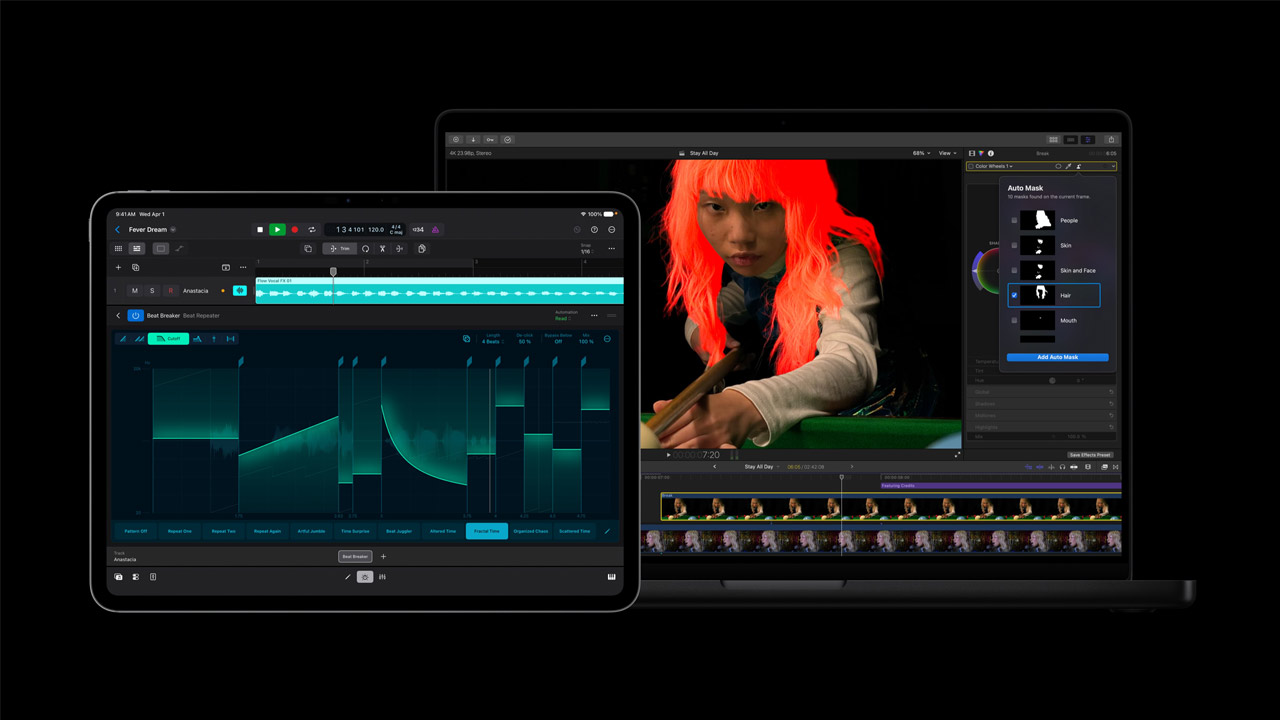
Apple announced a major update to its Apple Creator Studio suite of creative apps, which spans Mac, iPad, and iPhone. Existing subscribers can upgrade for free, while new subscribers can purchase the update. All new subscribers can enjoy a one-month free trial of Apple Creator Studio, and users who purchase a new Mac or eligible iPad can use Apple Creator Studio for free for three months.
With a dynamic update featuring new AI capabilities to better support all creative disciplines, Apple Creator Studio is now more seamless, powerful, and intelligent. Users can open and customize images placed in Keynote, Pages, and Numbers, and even send keyframes directly from Final Cut Pro to Pixelmator Pro. Logic Pro users can further enhance their music production with improved Code ID and explore new Producer Projects from Grammy Award-winning producers.
AI-Powered Tools on Final Cut Pro
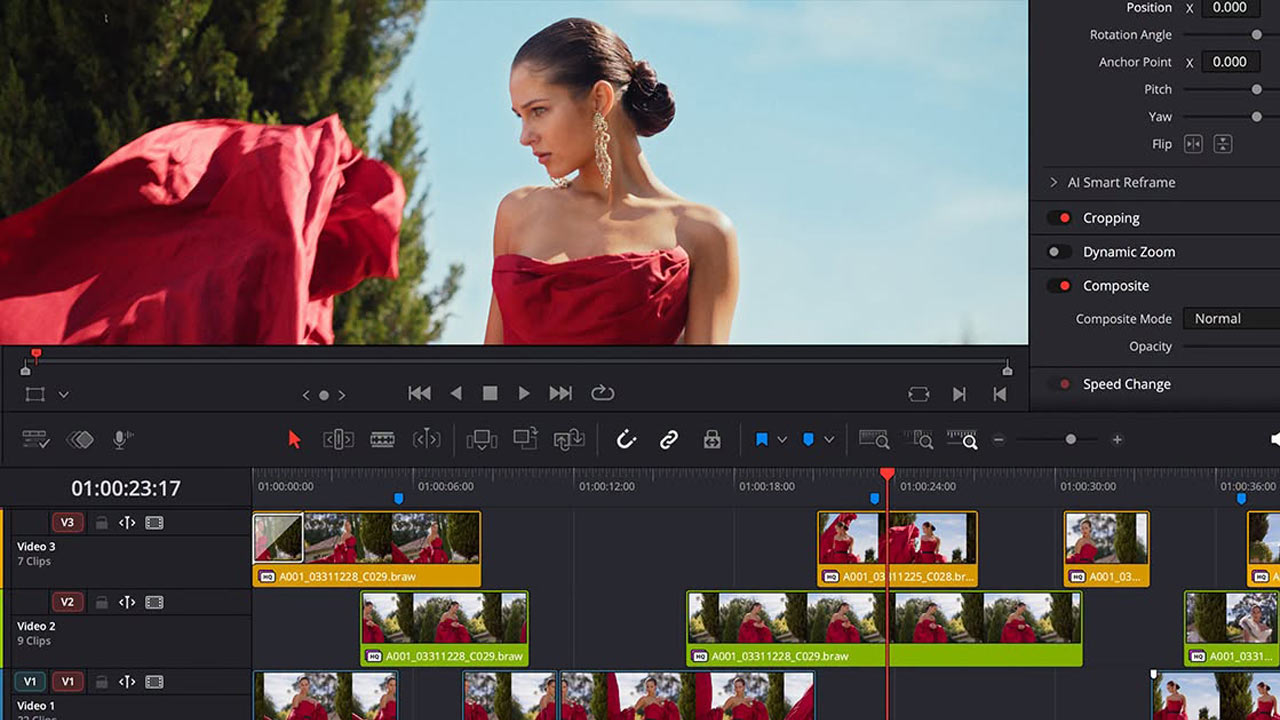
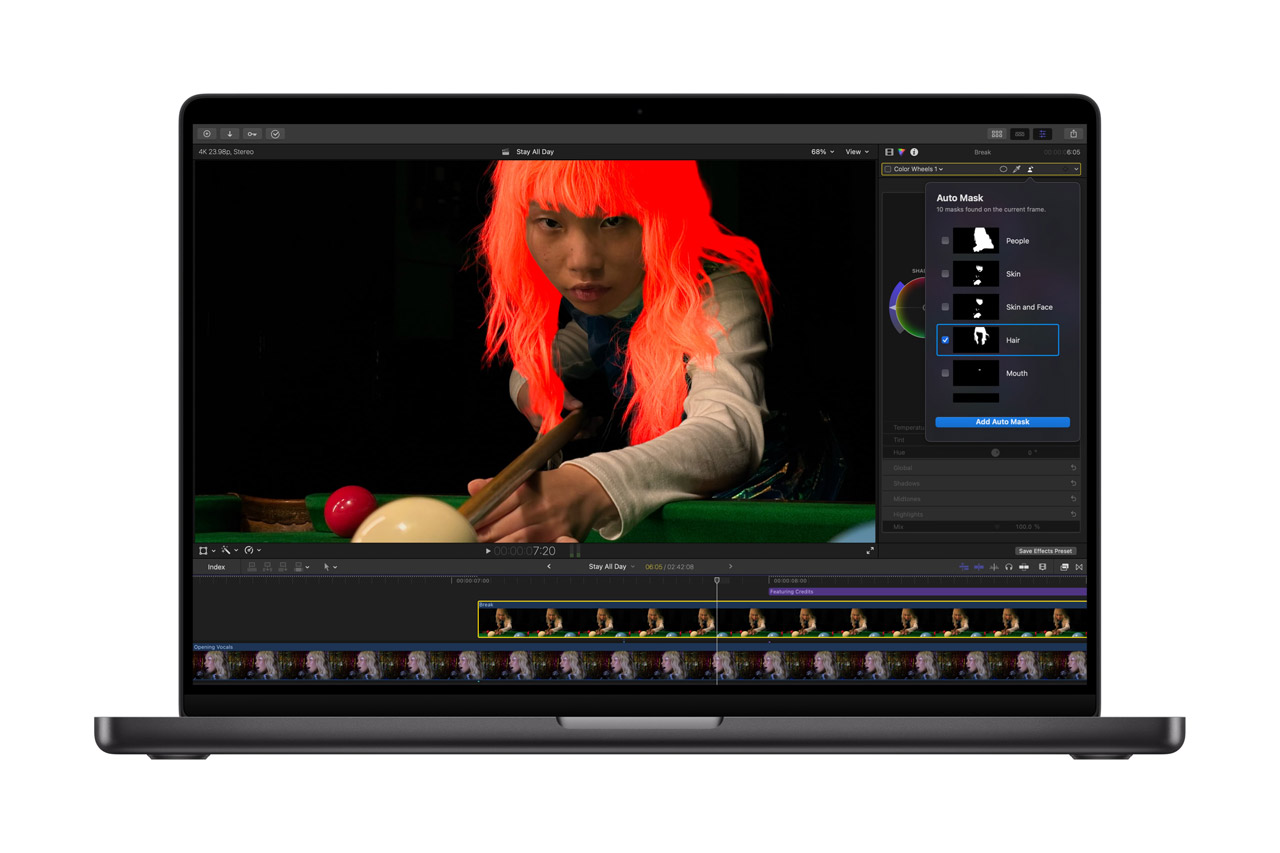
Final Cut Pro, the ultimate video production app for Mac and iPad, enhances your creative workflow with a new set of powerful AI tools, including Generate Captions and Edit Detection, as well as new content such as Creator Themes with multiple aspect ratios, dynamic titles, and customizable backgrounds. On Mac, you can benefit from even more tools, including Auto Mask, enhanced Match Color, Advanced Trimming, and the ability to send frames to Pixelmator Pro.
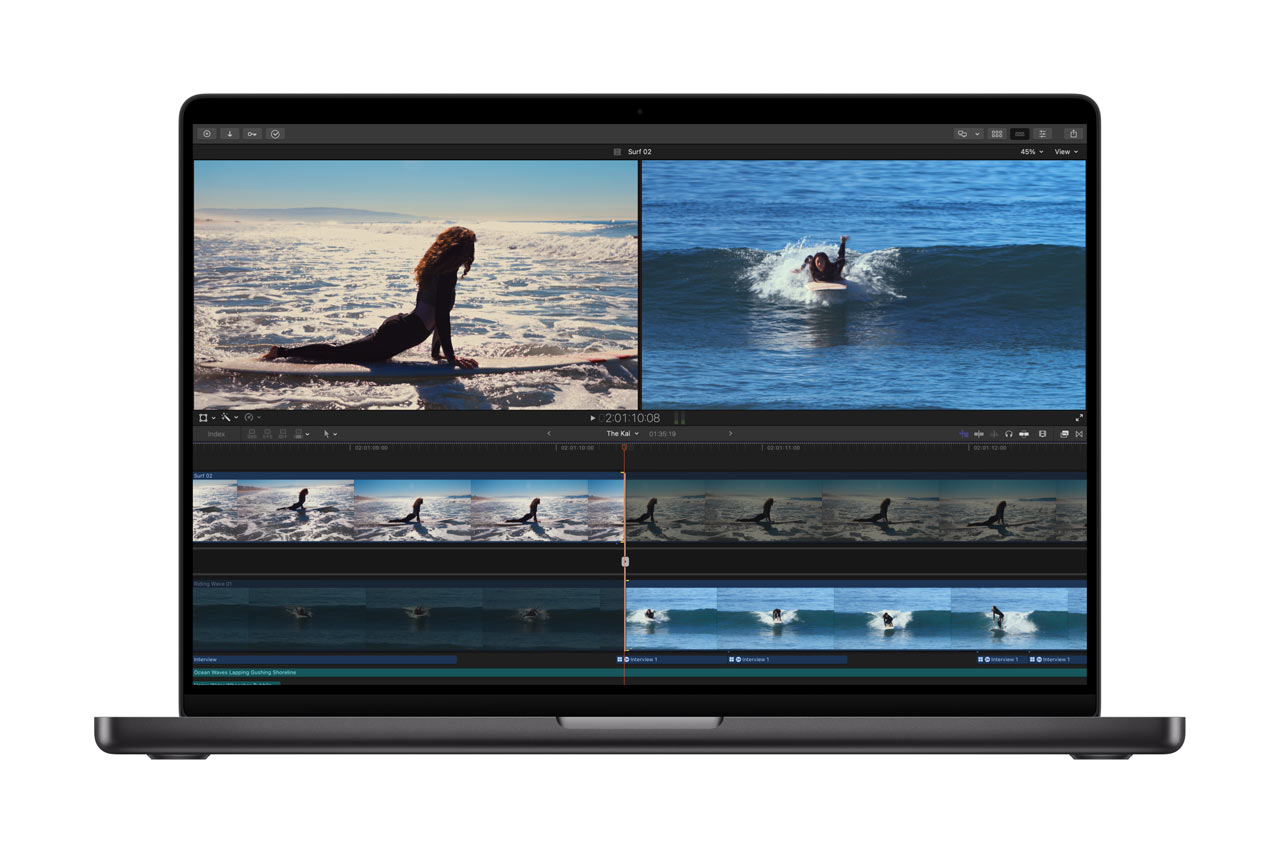
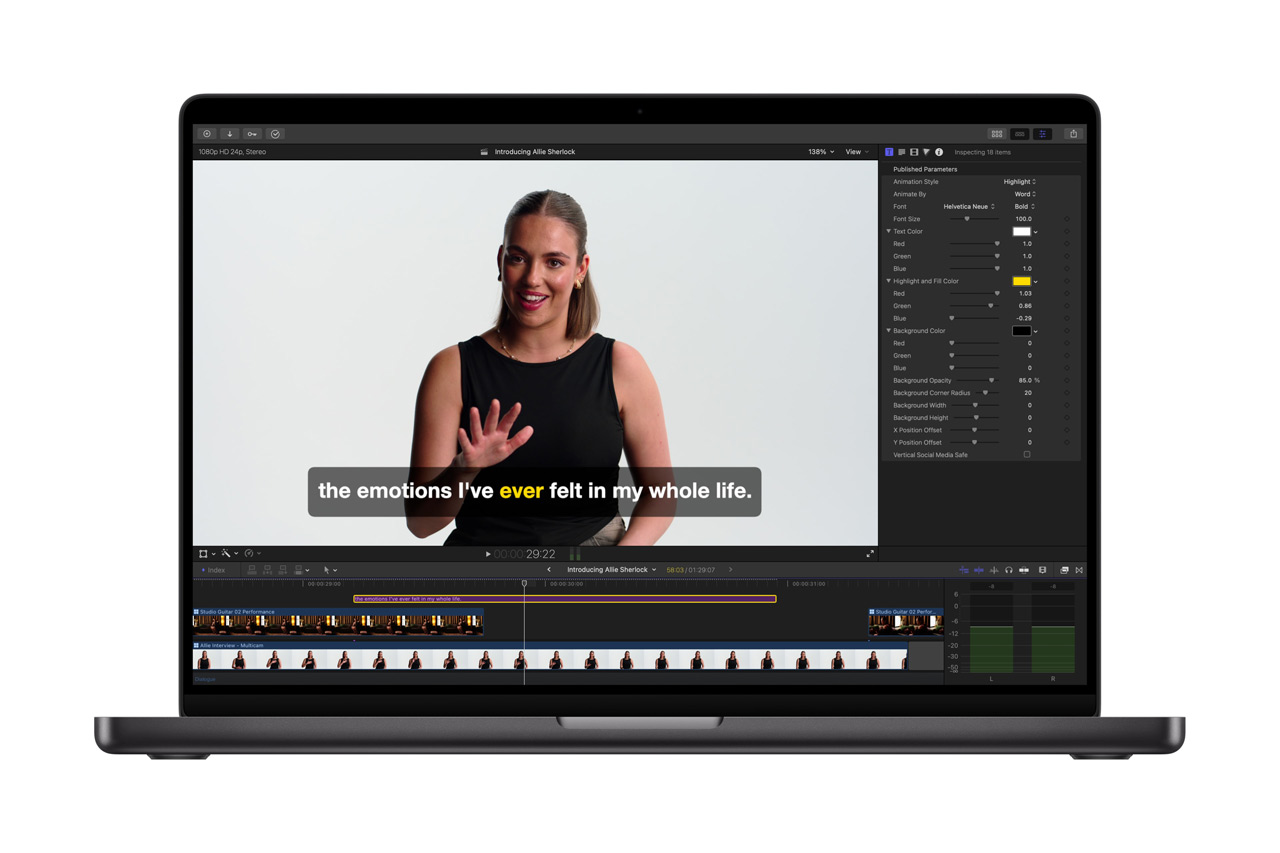
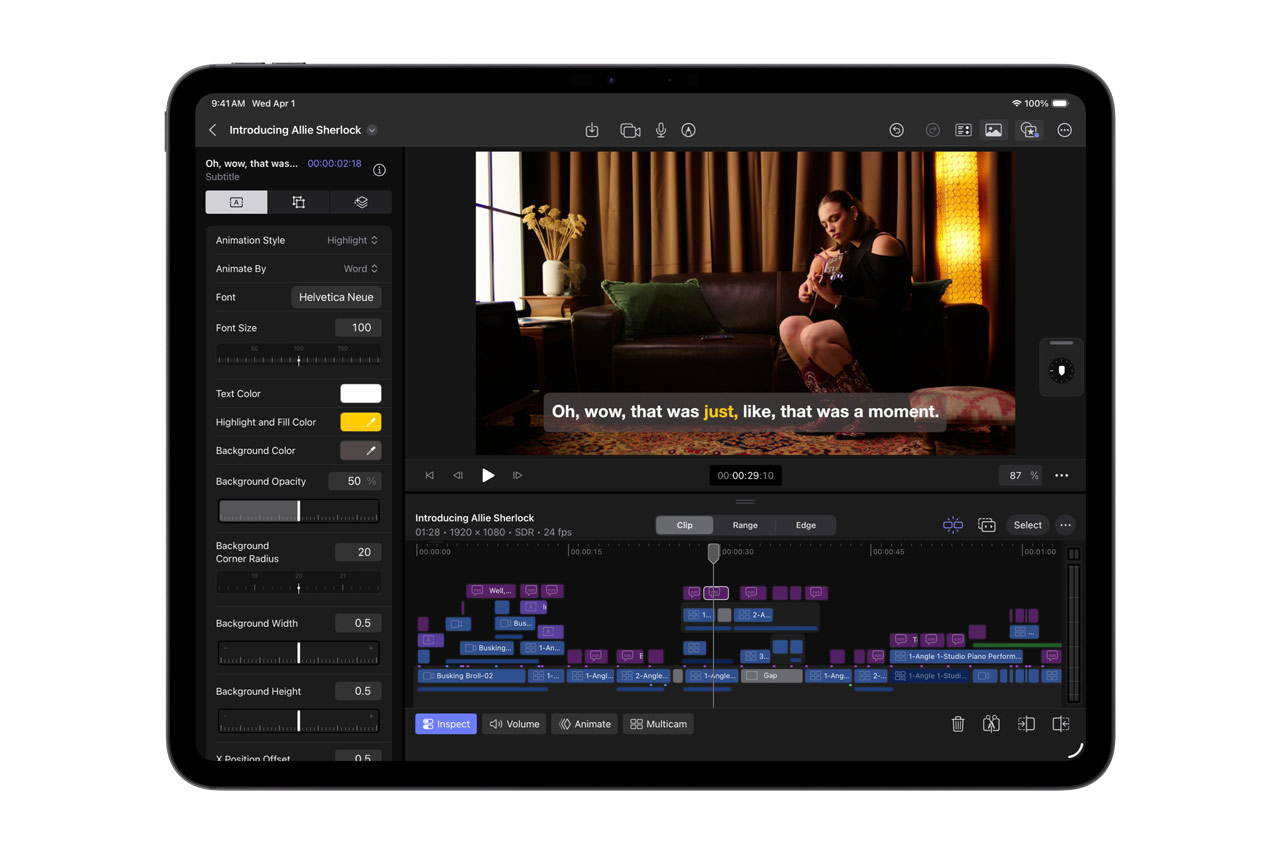
Powered by the AI on your device, Generate Captions is one of the most requested features, allowing users to automatically transcribe audio and perfectly position the generated subtitles on the timeline. With options to animate styles and customize fonts, colors, and positions, you can flexibly add your own style to any project. The AI on your device also enables Edit Detection, which analyzes already rendered video and automatically reflects split points in the original clip on the timeline. Editors can go back and fine-tune edits or quickly put together highlight clips for sharing on social media without having to manually locate previous edit points.
Auto Mask
Mac users can take advantage of Auto Mask, a new method that allows them to isolate and adjust specific elements of their footage. Manual tracking is unnecessary, as on-device AI recognizes objects such as skin, hair, sky, leaves, and clothing. Simply hover your mouse cursor over a clip to instantly see what’s detected in a live preview, and you can also select from a list in the inspector, allowing for seamless and precise adjustments by combining masks with color corrections and effects.
Auto Mask works in conjunction with magnetic masks, giving editors complete control over what they specify, track, and mask. Additionally, the redesigned Match Color on Mac produces more accurate and natural hues across a wider range of footage and lighting conditions. Editors can select reference frames, and Final Cut Pro analyzes the shot to perfectly color-correct it, with the option to fine-tune further as needed. Advanced Trimming allows users to fine-tune the in and out points of each frame individually.
Motion and Compressor
Users will also have access to significant updates for Motion and Compressor. Motion gains native support to keep vector images sharp at all resolutions, as well as the Distribute Layers feature, which dramatically speeds up the setup of complex animations. Compressor introduces the Immersive Metadata Viewer, support for 180-degree Apple Projected Media Profile for Apple Vision Pro, and Anaglyph View for Stereoscopic Video Preview.

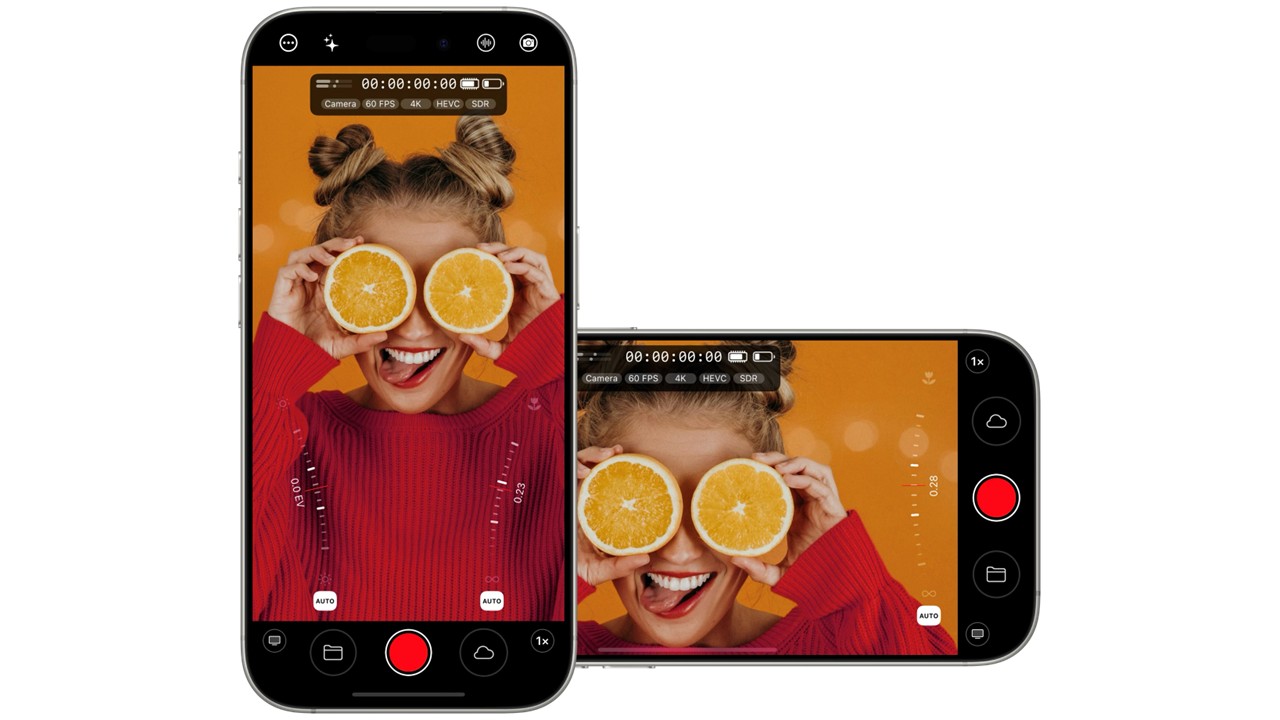
Creators can also take advantage of an update to Final Cut Camera, the free video recording app for iPhone and iPad. Support for clean HDMI output allows only the pure video signal to be sent to an external monitor or recorder. ProRes support, including ProRes LT, provides flexible options for selecting the appropriate codec for any production, and users can disable digital zoom to ensure every frame captured is at the highest optical resolution.
Powerful new image editing and graphics tools
Users can now leverage the power of Pixelmator Pro across all aspects of Apple Creator Studio. Final Cut Pro users can now send selected frames directly to Pixelmator Pro to create custom thumbnails and social media graphics, easily bringing content back to the timeline without interrupting their workflow. In Keynote, Pages, and Numbers, users can select images within documents and open them directly in Pixelmator Pro for editing using all the available tools⁷. Changes automatically save to the document. Return to Pixelmator Pro at any time and continue fine-tuning graphics.
Pixelmator Pro, Keynote, Pages, and Numbers make it easy to generate vector shapes to suit any project. Users can adjust the shapes as they like and save them to a dedicated collection for later use. Advanced image generation and content hubs have also been extended to Pixelmator Pro⁸. Image generation allows users to create and edit images using natural language. The content hub lets users browse a curated collection of high-quality photos, graphics, shapes, and illustrations to find inspiration for new designs.
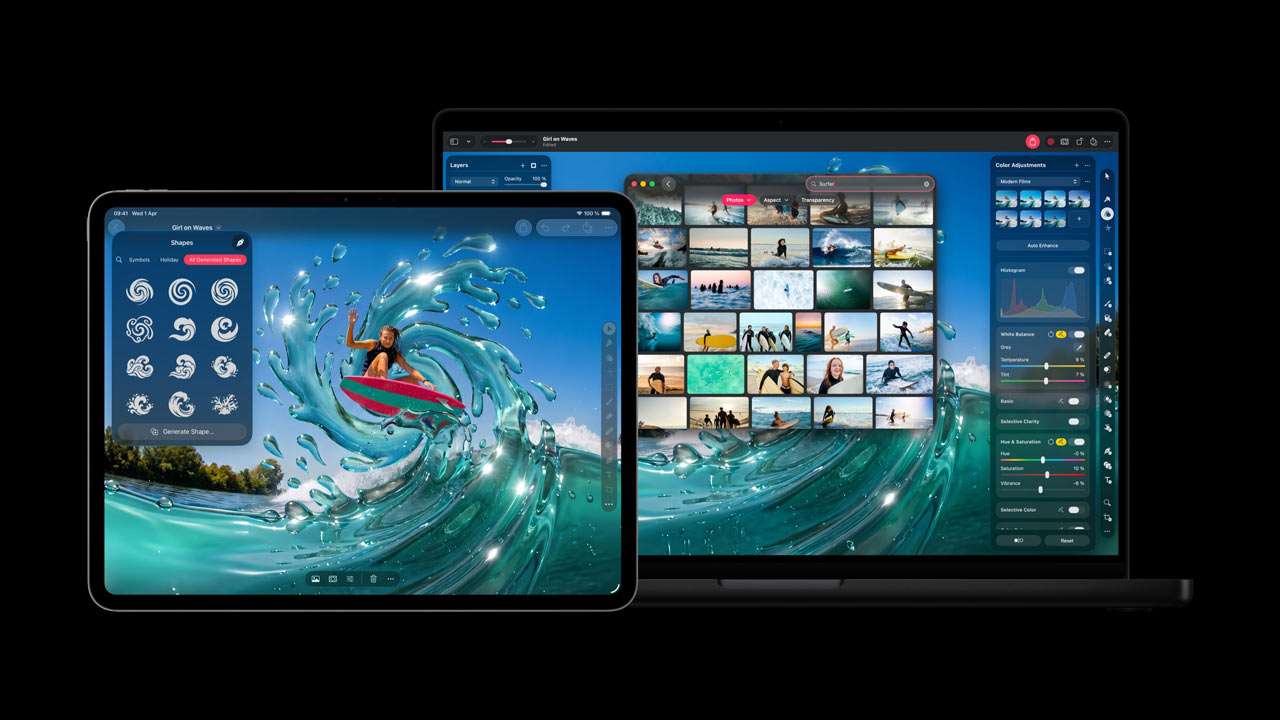
Furthermore, Keynote, Pages, and Numbers have received many highly requested features. Keynote now features beautiful new transitions and builds, and Pages for iPhone and iPad now includes “Auto-Hyphenate” and “Show Invisible Text” for more precise editing. Numbers allows you to hide and color-code individual sheets, making it faster to work with complex spreadsheets than ever before. iOS 27, iPadOS 27, and macOS 27 also add features such as the ability to generate shapes in the freeboard and open images with Pixelmator Pro, as well as dark mode, folders for organizing boards, and support for drawing on Mac.
Music production is evolving even further.
With the update to Logic Pro for Mac and iPad, music production becomes even more intelligent, faster, and inspiring.
Because the chord IDs have been restructured, the accuracy of chord analysis has been significantly improved, including extended chords and inversions. This additionally handles playing on distorted guitars or slightly out-of-tune pianos. This results in a Session Player that responds quickly to chord changes and allows for more effortless playing.
The new Producer Project reveals the complete Logic Pro sessions used for “Shoulda Never,” produced by Khris Riddick-Tynes. All multi-track recordings, MIDI performances, and vocal takes have been faithfully preserved in their original state. This offers a rare glimpse into the behind-the-scenes workings of a professional session.

Logic Pro and MainStage open up a new dimension in sound design with Alchemy’s new granular synthesis mode, a signature sample-manipulating synthesizer in Logic Pro. To complement this, users can try out the new Granular Alchemy sound pack.
This sound pack offers a curated collection of loops and presets specifically built for the new modes. Furthermore, Beat Breaker expands to Mac and iPad, adding new filter and pan modes, and intuitive randomization controls, making it easier than ever to discover fills and rhythmic variations.